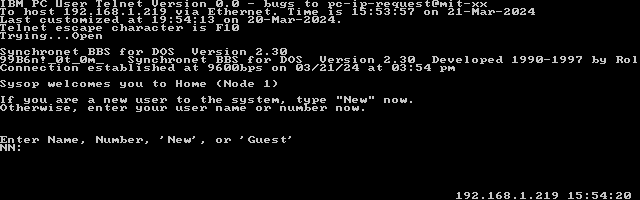
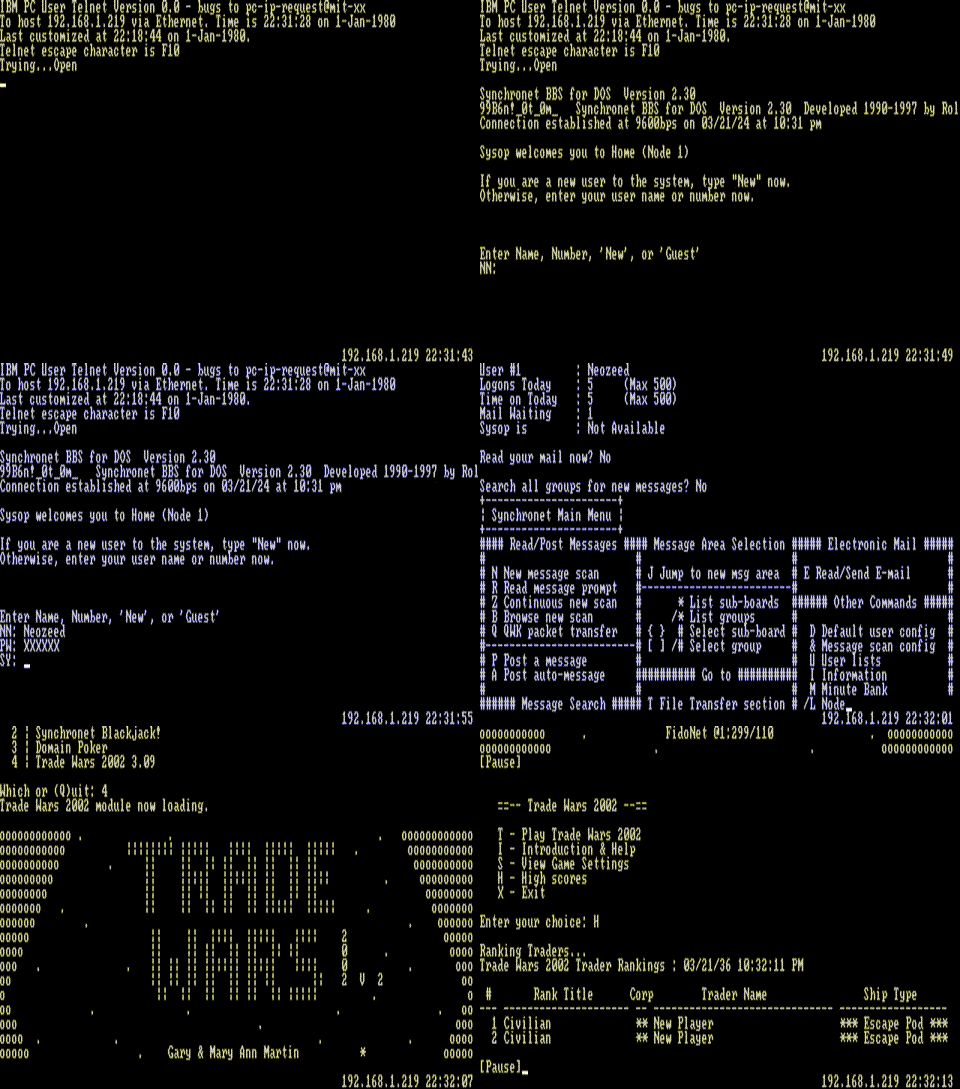
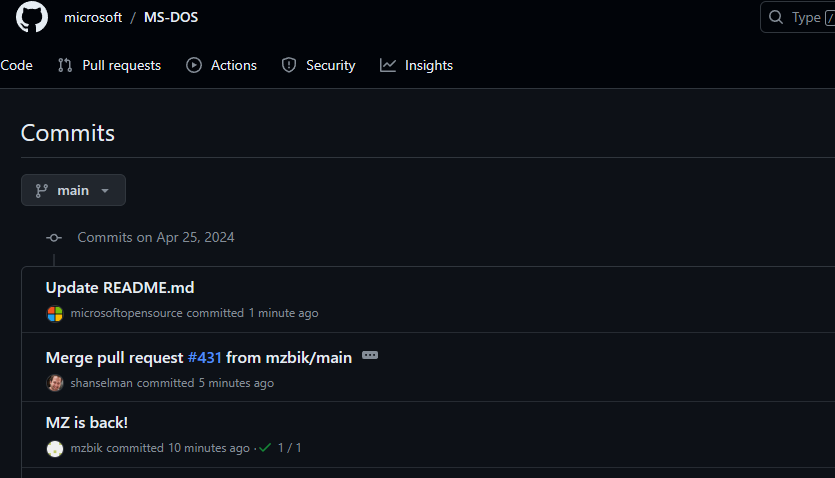
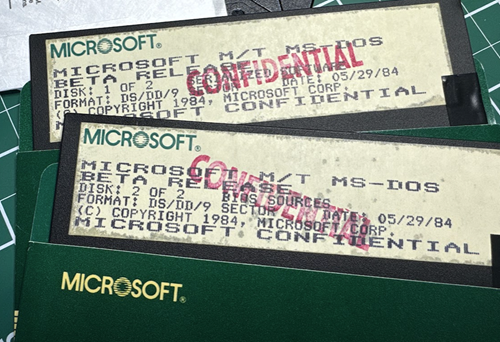
I’ts MS-DOS 4.0 Internal Work #2.06 – May 23, 1984, with copyrights from both IBM & Microsoft.
I don’t have time to make any comment much further other than having had been listing to people in on making this happen, and it’s been a long struggle to make this all happen, and it’s so amazing to see their hard work make it out into the wild!
DOS 4 is the basis of what would eventually become OS/2, just as I’m sure that it’s use of NE executables will reveal a far tighter integration with Windows, giving hints of the future that should have been!
** EDIT So it’s just DOS 4.00, with a lot of information on EU/MT DOS4. There is now a blog post over on Scott Hanselman – Scott Hanselman’s Blog‘s talking about the details of this release!
Credit goes to starfrost, this was nearly a year in the works!
In the previous posts, we’ve gone through the excruciating fun of installing Rhapsody DR2, and of course built the Rhapsody kernel from source. But now it’s time to build the software that can build software.
Enter the apt*
Of course we can’t just start building apt, rather we need to start at the 1990’s super star scripting language that revolutionized massive, shared code libraries, accelerating web development, and building the modern web, of course I’m talking about PERL.
Even back in the original effort building Perl was a slog. Even with temporary wins with miniperl it quickly fell apart from missing symbols. When it comes to the system libraries Darwin is not complete, rather it’s a lot of amputations from OPENSTEP. Which of course, itself was amputated from NeXTSTEP. I’m not sure what held back NeXTSTEP from being ‘open’ back when ‘open’ meant published specifications, not open source, or open in any other sense of the way, like The Open Group being a gatekeeping organization that is NOT open at all.
Anyways, Perl from the Darwin 0.1 downloads & the 0.3 CD-ROM don’t build. I gave up and moved to the OS X Server version and that one did build! As much as I could diff them out and find the breaking difference, honestly, it’s just easier to stick with what works.
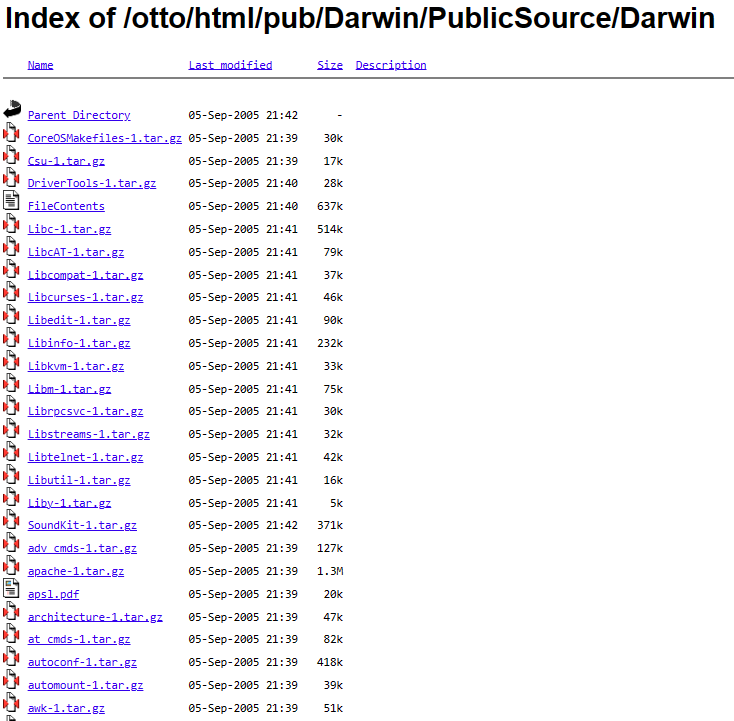
/pub/Darwin/PublicSource/Darwin
I should point out that the source to Darwin was preserved on this now defunct site “next.68k.org”, which in turn was also preserved on the defunct site “nextftp.onionmixer.net“. Amazing how mirrors go. Other fun things on the ftp site include MacOSX-Server public sources, which did include the Perl that we built.
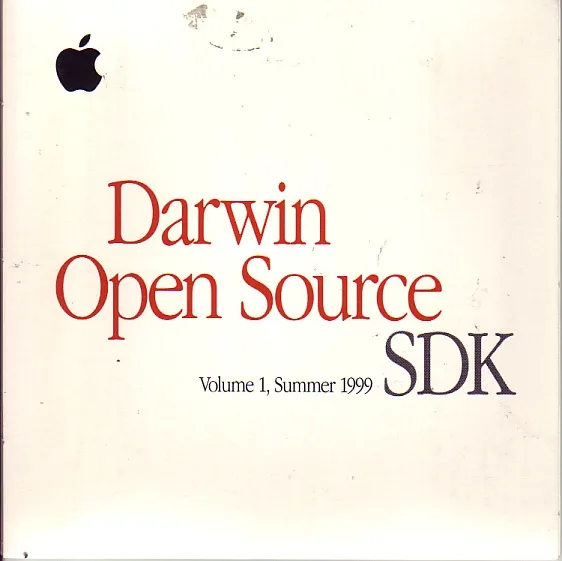
Darwin 0.3
Darwin 0.3 however was pressed onto CD-ROM, and distributed out to the masses. It took me a short while to get a tip to a hidden server that had a copy, which really was a massive breakthrough as it had a far more complete set of files than the 0.1 ftp dump. However at the same time there are files in the 0.1 dump that are not in the 0.3. Was there ever a 0.2? I have no idea, the mailing lists don’t seem to have been preserved so I really don’t know. Does anyone have any other ftp site archives? Not to my knowledge but I’d be more than happy to be wrong.
With a working Perl the next thing to do is to patch the buildtools & dpkg to not be PowerPC centric. It’s no secret that all the official effort going on was to get OpenSTEP up and running on Apple PowerPC’s and to transition away from OPENSTEP to Rhapsody, the MacOS 8 Platinum feeling type OS, where everyone was going to love the ‘Coca’ API, and dump the old MacOS stuff or be forced to run it in the ‘BlueBox’ MacOS 8 emulator. Obviously this future didn’t happen as developers were not interested in rewriting for Steve’s decade+ fever dream of a Unix for the ‘rest of us’, instead they wanted their existing software to ‘just work’ and the Carbon API had to be created, along with a drastically different and modern looking OS X.
Frequently in the build tools it’s a matter of looking for ppc/powerpc and replacing them with i386. It’s really no surprise that Darwin always built on intel, and it had to, as it’s life depended on it. Back when NeXT hit their first real big stumbling blocks of being a vertical platform is that they just couldn’t compete in the hardware space. But dumping the 68k based black boxes, they could now take their software and port it to the much more coveted RISC platforms, and shipping with NeXTSTEP 3.3 they supported both SPARC & HPPA. There had always been talks of further platforms like MIPS or DEC Alpha, but these never materialized, much like the i860 which had been relegated to a simple Postscript co-processor.
Anyways.. Keeping with yesterday’s setup, and of course the .darwin-builder-04-23-2024.iso CD-ROM with all the stuff we need, let’s DOIT!
phase 2 completed
With phase 3 completed we are now ready to build the rest of the system. I hope you are excited! As I’m sure hoping you kept the original disk layout from the prior setup, or I’ve totally trashed your system by now.
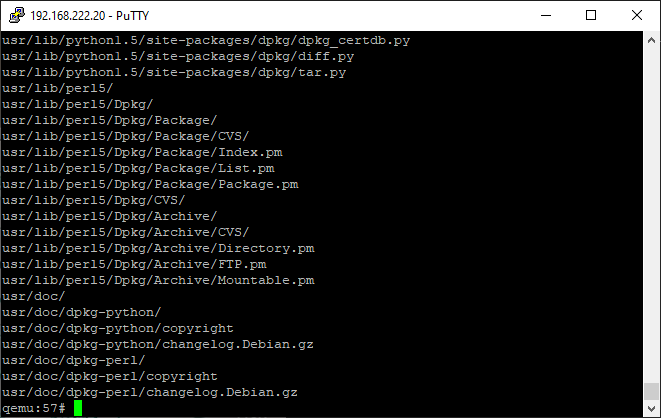
I should say that deb files are just specially tagged ‘ar’ archives, that contain a data & control files telling apt how to process them. In this case I’ve taken the cc_783.1-1_i386-apple-darwin.deb file and modified it to contain the OS X 10.0 modified CC compiler. Apt had stumbled on building it, and I’m not interested into troubleshooting why or how. Basically, use ar to extract the contents of the deb, then tar to expand the data, replace the files, tar to put the files back into the data tar file, and ar to rebuild the archive.
ar r cc_783.1-1_i386-apple-darwin.deb debian-binary control.tar.gz data.tar.gz
In this case, debian-binary is a text file that simply contains ‘2.0’. Amazing!
The first thing to do is build a manifest of what needs to be built. I just simply extract all the ‘fixed’ source that I’d used last time to build Darwin, apply patches were needed, and then kick off the process with a darwin-buildall.
In this case I skip building the C compiler, as it takes too long, and I’ve already done it. If you really want to do it, you can do so at your own leisure. GDB has issues building, and I haven’t even begun to tackle them. As you can guess the format of the manifest is pretty simple:
dir /usr/src/CoreOSMakefiles-1/ all
dir /usr/src/Csu-1/ all
dir /usr/src/Libc-1/ all
dir /usr/src/LibcAT-1/ all
Debian uses deb’s to populate a fake root directory in order to cross compile the packages. This is like installing multiple copies of the operating system, and that is why we use a separate scratch disk. This can consume several gigabytes when it’s done.
Also this presented the chicken/egg problem with how do you make debs from a system that needs debs? Thankfully NCommander had done extensive work with Debian / Canonical and was able to fake enough of a ‘build-base’ fakery that satisfied the build system just enough to start building stuff. In this weird way all roads lead back to the first build-base. Thankfully we live in the future where VMs are fast, and virtual disks are cheap.
I then create the /built directory, where the compiled deb’s will be populated, and copy in my modified compiler Debian into the built directory so that it’s used in all the compiling. On the CD-ROM I have 2 selections of deb files, the ‘deb’ directory from when I’d originally done this back in 2017, and the ‘fresh’ directory that I’ve just built. You can always manually source where the debs some come.
Re-creating the steps from 7 years ago the first phase was to build the Darwin kernel. Like everything else, once you know what is involved, it’s not all that difficult. But as always finding out the steps to get there is half the fun!
I’m going to assume if you want to follow along, that you’ve completed the first part of this exercise, and you have a Rhapsody DR 2 system up and running. Due to some issues I’ve had with creating a lot of files & filesystem corruption, we are going to create and add two more disks to the system. On Qemu we need to add them via the CLI:
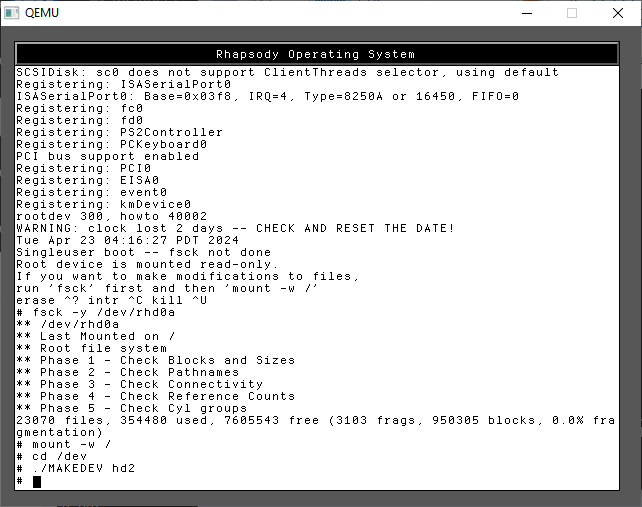
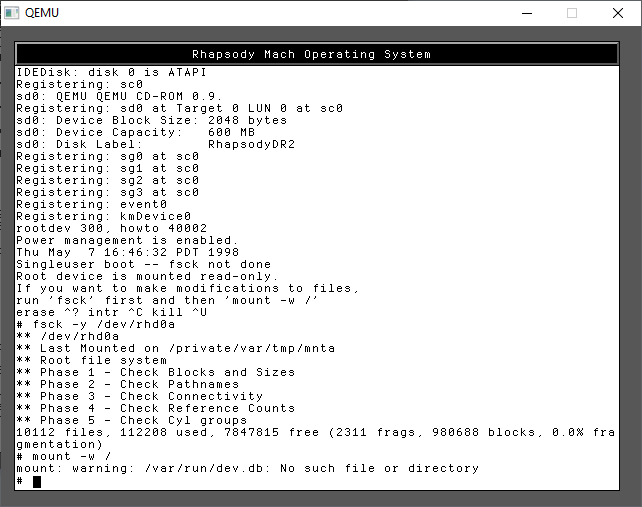
Step one is to boot into single user mode. As we need to prep & format the disks under Darwin before the system starts up.
We need to check the hard disk, and then create the device names for the third hard disk.
fsck -y /dev/rhd0a
mount -w /
cd /dev
./MAKEDEV hd2
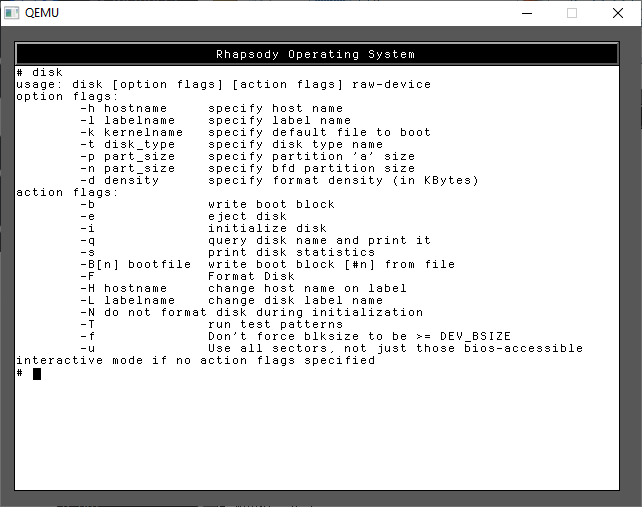
Now we need to run the ‘disk’ command which will abstract the whole volume creation. There are numerous flags, but we don’t need all that many.
disk -i -l 'src' /dev/rhd1a
disk -i -l 'scratch' /dev/rhd2a
The output scrolls off the screen, so I didn’t capture it, but you’ll see all the inodes being created, it’s a lot of output!
With the disks created, we can now shut down the VM
shutdown -h now
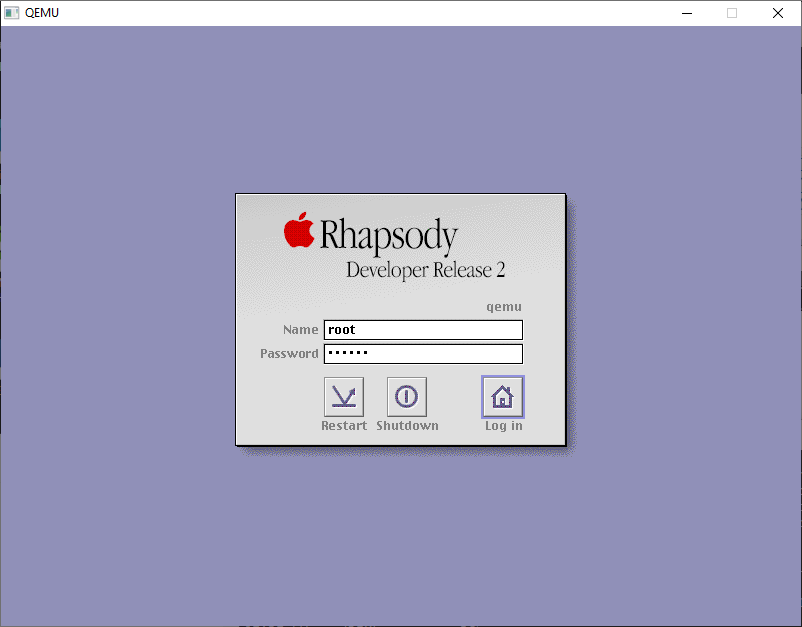
and then restart Qemu, and let it boot up normally. We’ll get to the login screen, login as the root user.
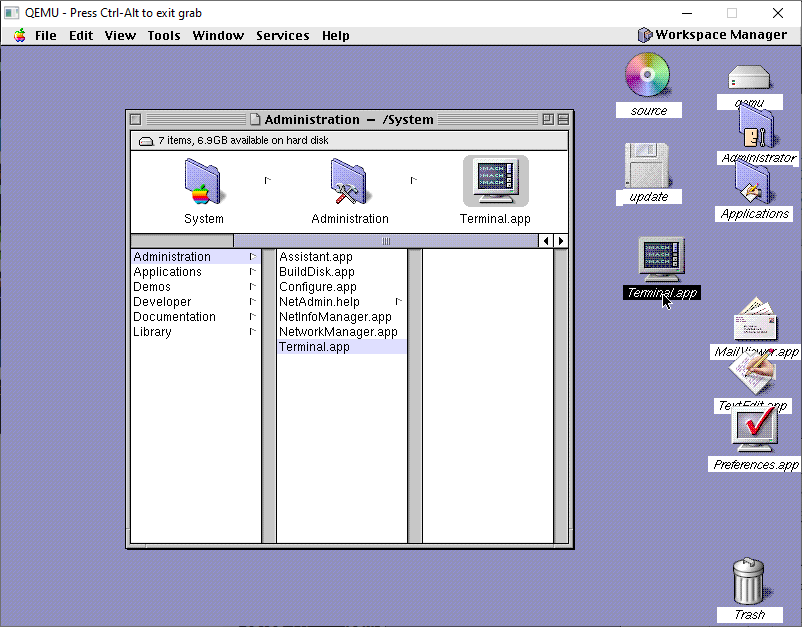
The first thing I’d recommend is to drag the Terminal.app from /System/Administration to the desktop to make it easier to get to. Rhapsody, unlike NeXTSTEP & OPENSTEP doesn’t have any dock, as the goal back then was to make Rhapsody look and feel more like Platinum MacOS.
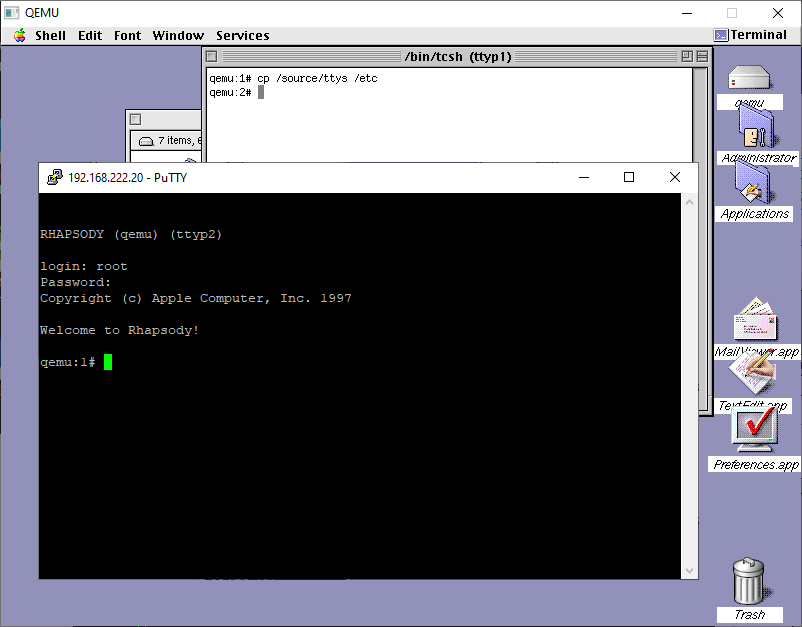
The next thing to do is to make the system very insecure by allowing remote root logins. It’s just easier to deal with. You could use sed or just copy the one I provided from the CD-ROM.
cp /source/ttys /etc
And with that in place, its easy enough to telnet into the VM so you can copy/paste stuff in and out with ease!
You should now be able to verify that all 3 disks are mounted:
# mount | grep hd.a
/dev/hd0a on / (local)
/dev/hd1a on /src (local)
/dev/hd2a on /scratch (local)
From here it should be very simple to kick off the build process:
/source/phase1.sh
And this will kick off the build, recreating all the fun steps I’d gone through so many years ago. These projects now are building in the following order:
kernel-1
driverkit-139.1-1
cc-798
bootstrap_cmds-1
objc-1
The first phase of the script will unpack both the kernel & driverkit and install their respective header files into the OS. NeXT a bunch of symlinks are created to link the system to the driverkit. Next I decided to build the ObjectiveC compiler from 10.0, hoping it’s more bugfixed and slightly more optimized than what was available back in 1999. Building the compiler is a little involved, as a good GCC tradition is to be cross compiled first, then re-compile itself with itself, then do that again and verify that the 3rd recompile outputs the same as the second one. Yes it’s a thing. Yes it’s slow. Yes you are lucky to live in the future, this was really painful back in the day.
With the kernel compiled, we can then compile the bootstrap commands, and the objectiveC runtime that is used by the kernel. Nothing too exciting here.
DriverKit however….
The PCMCIA code was not included in any of the 0.x Darwins, so for laptop enthusiasts you are basically SOL. As a matter of fact, a lot of weird stuff was pruned out, that either could be ‘touched’ or borrowed from the PowerPC port and massaged into place. Luckily I had at least figured out a simple fix for PCIKernBus.h so at least PCI works.
Likewise for the kernel, there was some guessing on the EISA config, which also overlaps ISA, along with having to remove the PCMCIA cardbus .. bus.
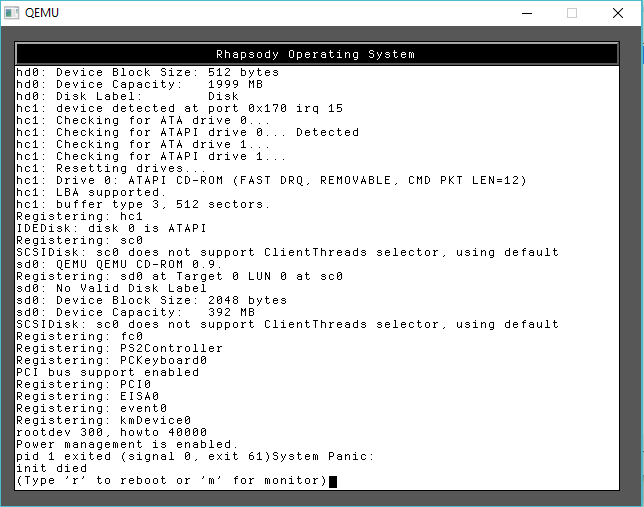
APM crash
I had issues with the APM (Advanced Power Management), another laptopisim I suspect. I had to amputate that.
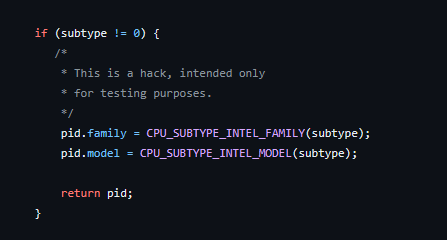
for testing purposes
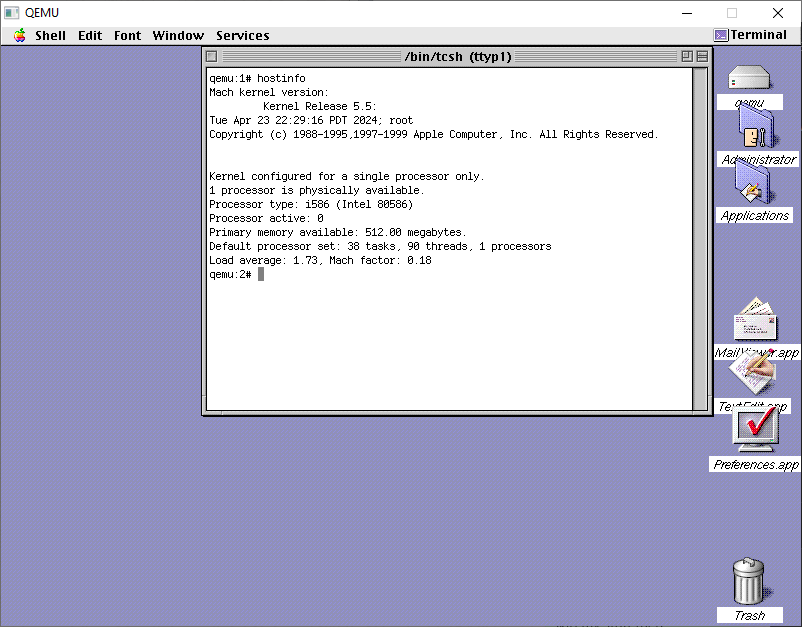
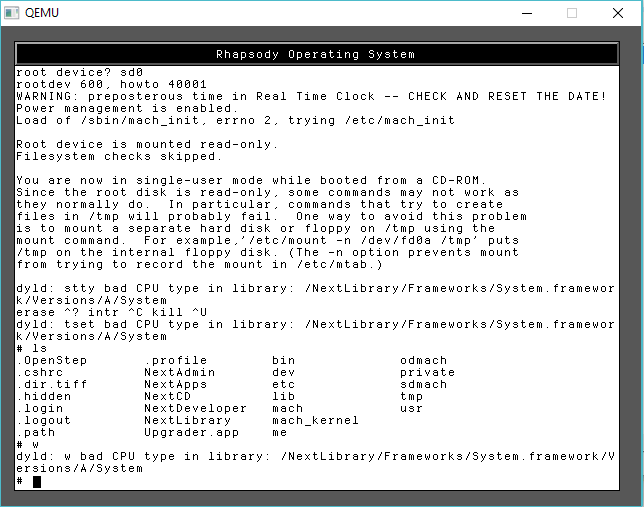
Naturally the cpuid code is broken much like early NT (I wonder if both were contributed by intel?), so it doesn’t detect any half way modern Pentium processors correctly which causes it to fall all the way back to the i386, which unfortunately, Rhapsody is compiled as 486 (remember NeXTSTEP had fat binaries allowing you to recompile for different processors and ship a single binary that can be ‘lipo’d into the appropriate one for the host). So being degraded to a 386 means nothing works.
bad CPU type in library!
yay.
Luckily patching the cpuid was pretty simple just force it always to be a Pentium. It is 1999 afterall.
I’ve done my best to make this a single script to run, and all being well you’ll get something that looks like errors, but it should be fine?!
System/Library/Frameworks/System.framework/Versions/B/Headers/bsd/i386/table.h
System/Library/Frameworks/System.framework/Versions/B/Headers/bsd/i386/types.h
System/Library/Frameworks/System.framework/Versions/B/Headers/bsd/i386/user.h
System/Library/Frameworks/System.framework/Versions/B/Headers/bsd/i386/vmparam.h
private/
private/dev/
private/dev/MAKEDEV
private/tftpboot/
private/tftpboot/mach_kernel
mach_kernel
tar: private/dev: Could not change access and modification times: Permission denied
tar: private/dev: Cannot change mode to 0755: Permission denied
tar: private/dev: Cannot chown to uid 0 gid 0: Permission denied
tar: Error exit delayed from previous errors
A quick look around shows that there is tgz files indicating that things have been compiled. I did backup the old original kernel as “rhapsody-gcc.tgz” in case you ever need it. Can’t imagine why but who knows?
You should now be able to reboot into the kernel that you’d compiled!
Next up is Phase 2, where we compile the tools to enter the dark magic that is the Debian build system. Yes, you read that right, Apple/NeXT was all in on Debian.
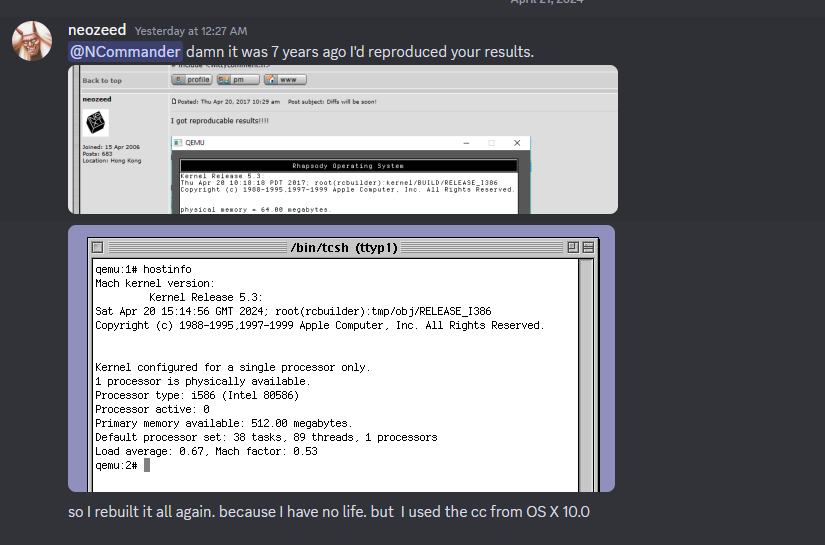
It’s hard to believe it’s been 7 years ago since I reproduced Ncommander‘s adventure in building the Mach kernel from Darwin 0.1 sources that had been found years ago. At one point we’d managed to build enough of Darwin to do a dump/restore onto a new disk image, and have a mostly built Darwin system save for a hand full of files.
Time goes on by, and memories fade, and I thought it’d be worth going over the adventure, yet again. Just as it was true back then, I thought I’d reproduce the same setup that I’d been using back then. Qemu was a new and exciting thing back then, and
the Disk driver is VERY picky and honestly ancient Qemu is a pretty solid option to emulate NeXTSTEP/OPENSTEP/Rhapsody with some patches to both 0.8 & 0.9 by Michael Engel, which change a nested interrupt and add support for a busmouse, as the PS/2 mouse doesn’t work for some unknown reason. I know many are scared of old Qemu, but the disk support is pretty solid and the CPU recompilation is very fast, so having to rely on MinGW v3 isn’t so terrible.
While I had hid away a lot of these resources on archive.org, I thought it was best to just go back to the oldest post I had where I had painfully documented how to compile Qemu and get it working with NeXTSTEP, back on BSDnexus. I’m so glad I took the time so long ago to not only write it down, and add screenshots, but also tag the version numbers. Software drift, especially free software can be so difficult to pin down, and it’s nice to be able to return to a known good value. I went ahead and placed the recreated toolchain over on archive.org.
Rhapsody is a weird OS, in that NeXT had kind of given up on the OS market after their NeXT RISC Workstation had basically died with the 88k, and even their early abandoned PowerPC 601 aka MC98000/98601 port. Apple had left a few of the changelogs, in the source code. It’s very interesting stuff! I guess to go off on my own tangent NeXT was just too early, the cube with it’s Unix & magnetic optical media and great audio DSP capabilities was just too ahead of the curve. What the cube couldn’t pull off in 1988, the iMac and OS X sure did in 2001.
I also added UDP support to this Qemu so I could use the HecnetNT bridge trick giving me the ability to telnet/ftp into the VM greatly reducing my pain. Back in the day I had used NFS and the network slirp redirection. But I like having direct access so much more!
Rhapsody throws up yet another fun ‘road block’ in that the mouse buttons map backwards for some reason. It’s a trivial fix in the source code, but I made it a runtime option in case I needed or wanted to run NeXTSTEP. And it was a good thing, as I did need to find the NXLock.h file for building one part of Darwin.
When building Darwin, I started with the last x86 version of NeXTSTEP that was availble, and that was Apple ”Rhapsody” / Titan1U x86 Developer Release 2 from WinWorld. My thinking at the time and still is that the closer you can get your build to whatever they were using as ‘current’ the easier this will be.
Rhapsody can support an 8GB disk, so let’s go with that. This always has an issue with people that try much larger, and just fail, so for my sake and yours let’s just go with 8.
You may be wondering, why only use 128MB of RAM? Well there is a bug in the shipping Rhapsody kernel that prevents booting on machines with more than 192? MB of RAM. Naturally, once we are to the point of building our own kernels this won’t be a problem but for now we are limited.
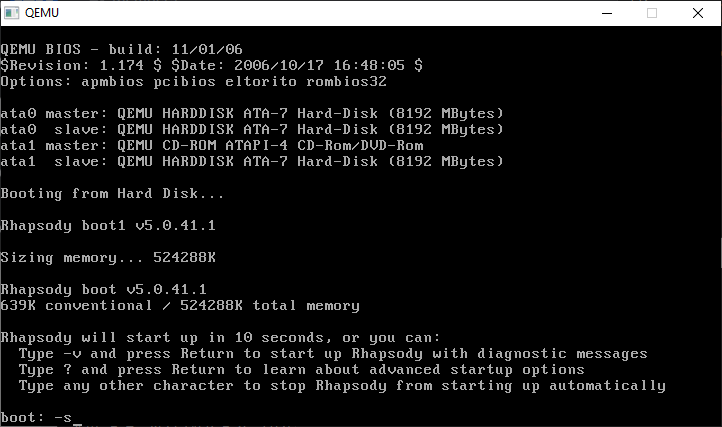
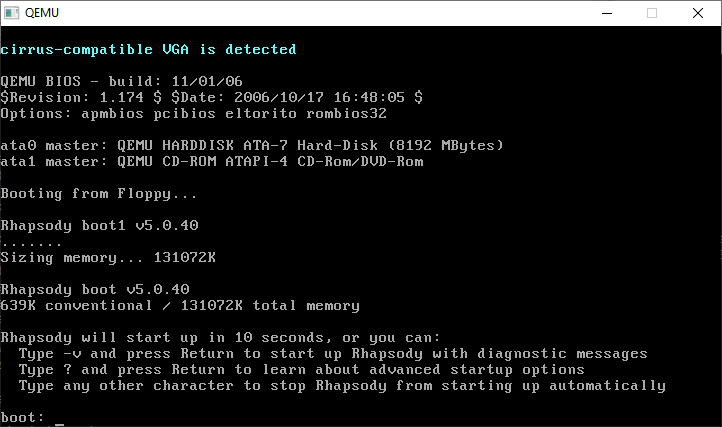
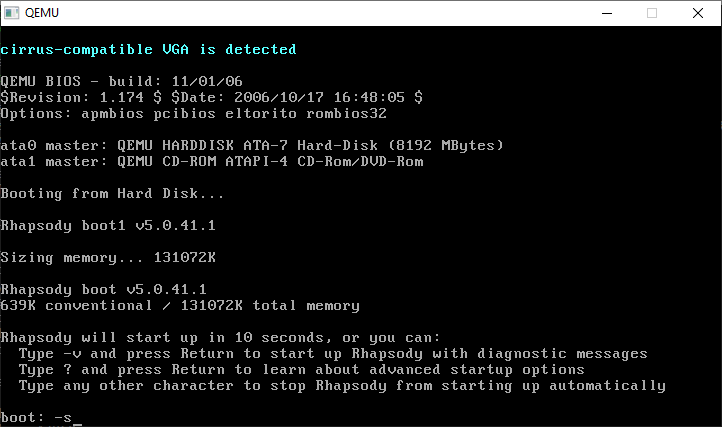
The bootloader will give us a few seconds to do anything fancy, I just hit -v so I always have the verbose boot.
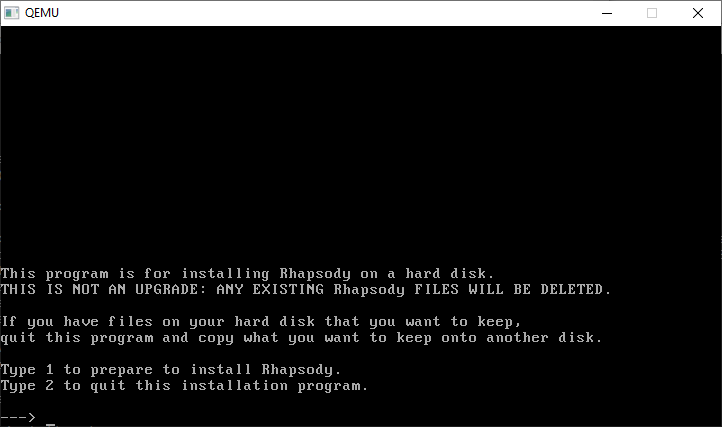
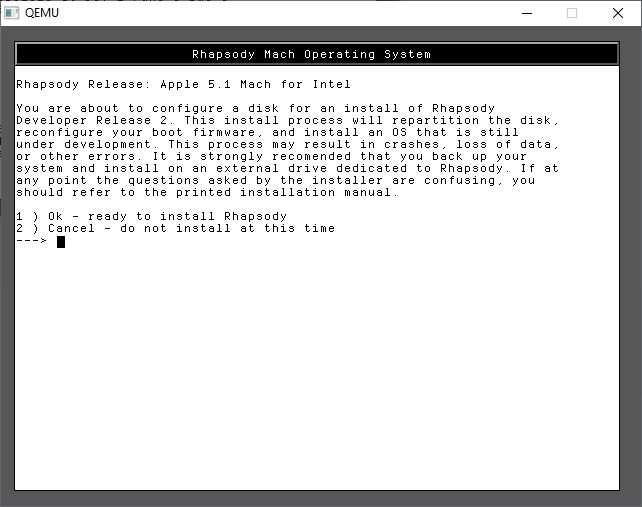
From here it’s just a few options to go thru the installer
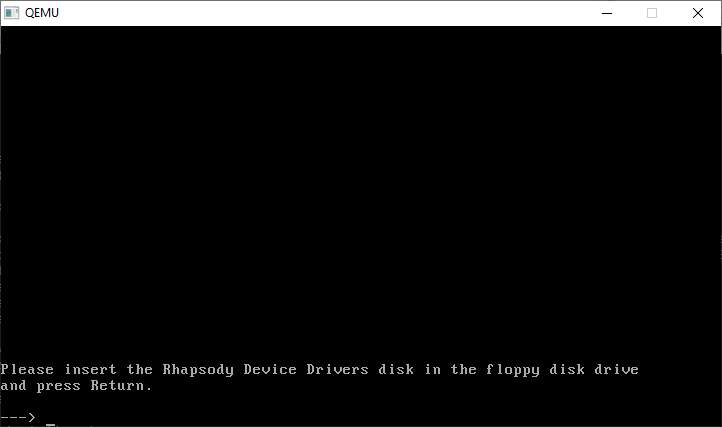
And a disk change is required
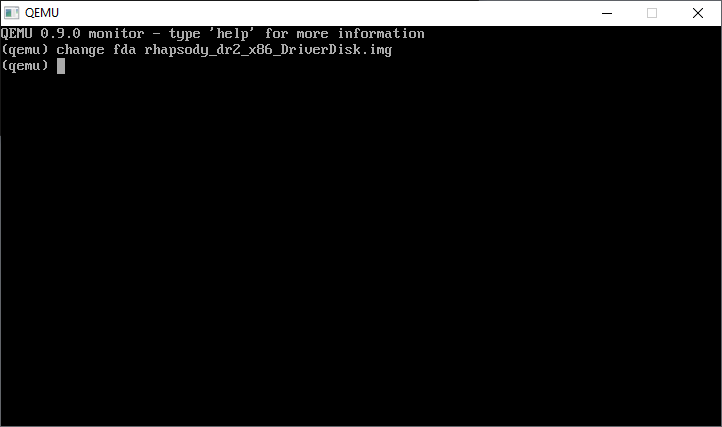
CONTROL+ALT+2 will bring up the monitor prompt, where we can change the disk
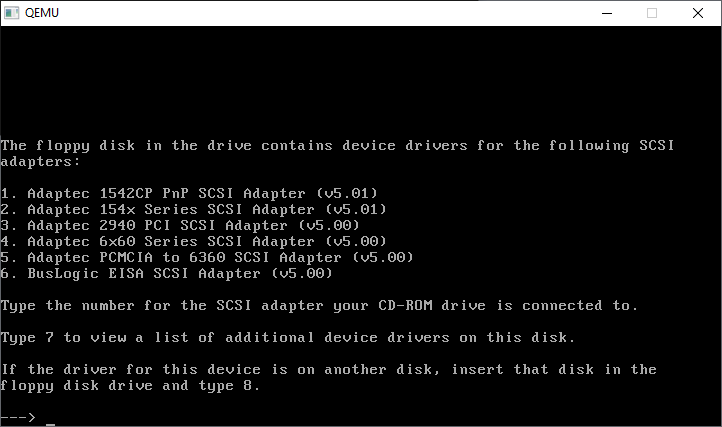
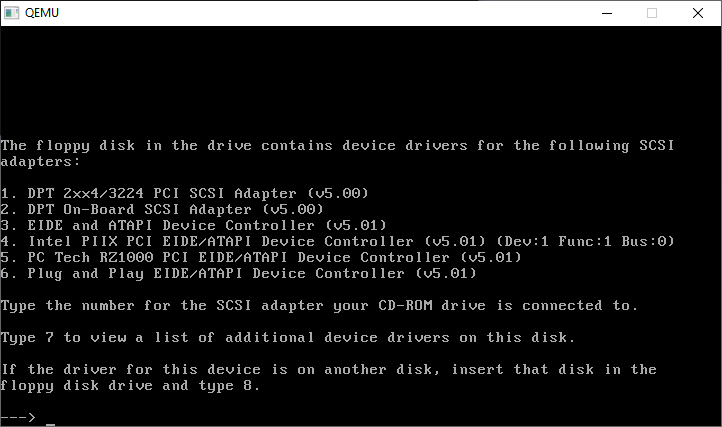
CONTROL+ALT+1 will return us to the console. Now we have to go through all the SCSI cards, and kind of compatible IDE cards
Further..
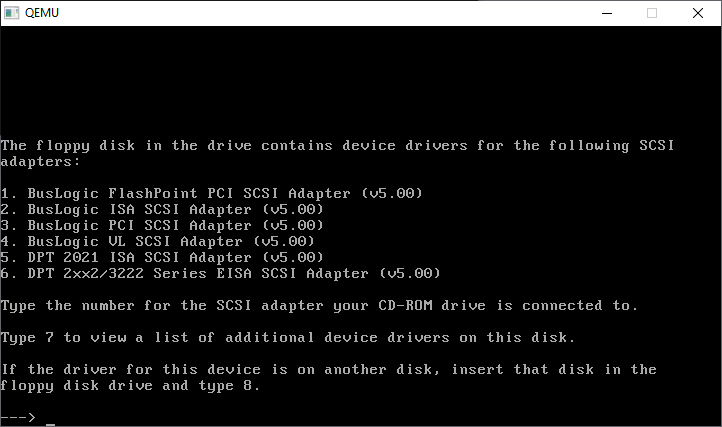
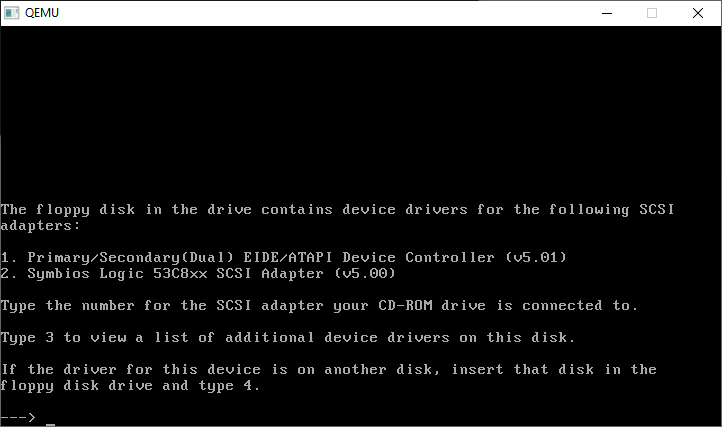
Further still…
And how select the Primary/Secondary(DUAL) EIDE/ATAPI Device Controller (v5.01)
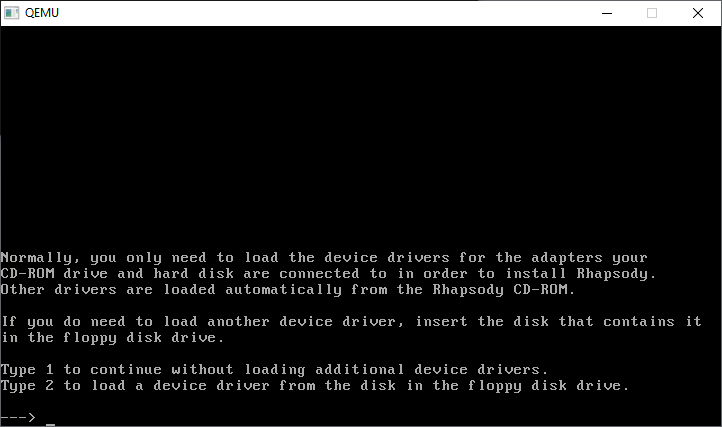
We only need the one driver, so we’re good to go!
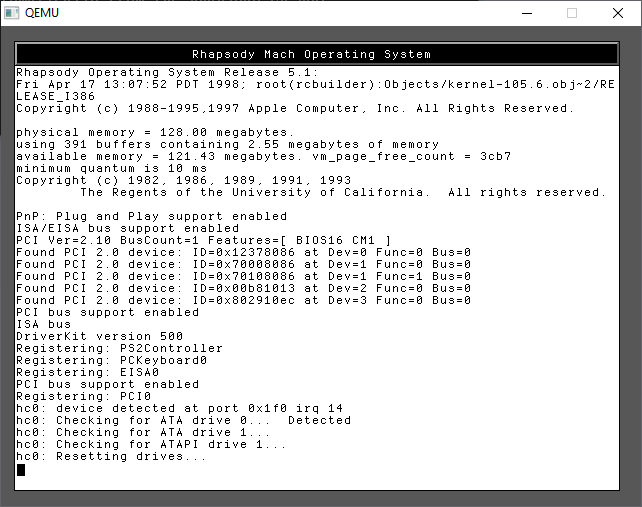
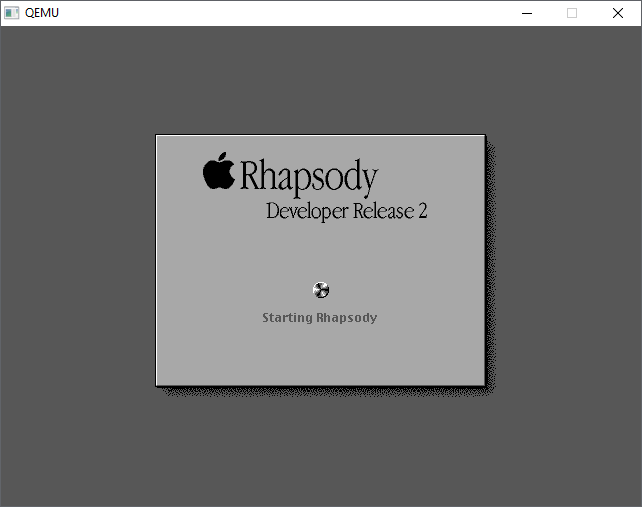
Continuing onwards will now start the kernel, along with a change to graphical mode. Just like a NeXT!
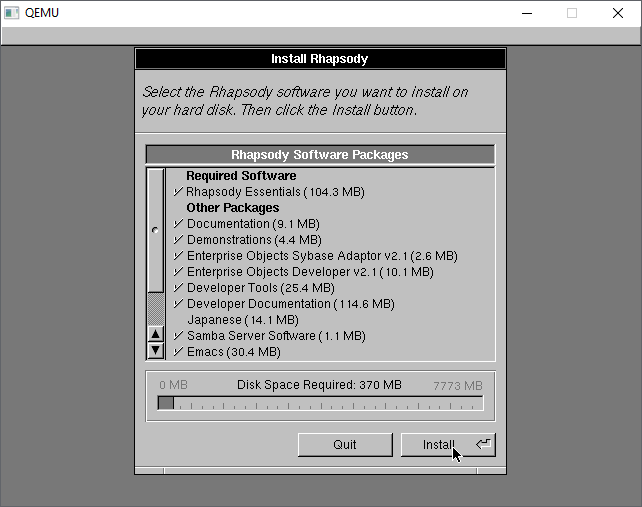
Now we can confirm again we want to install
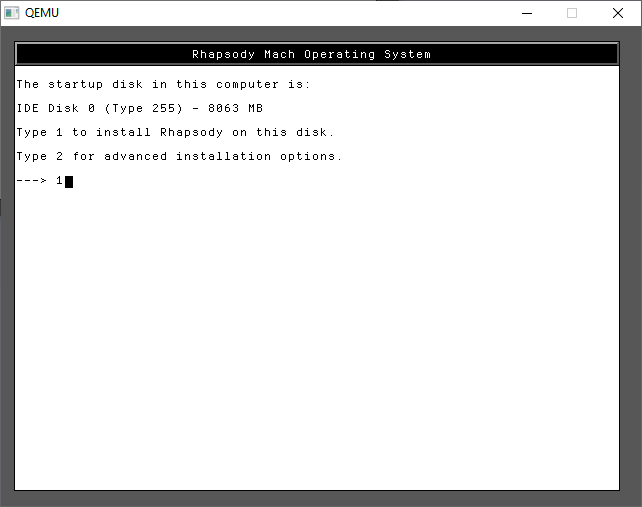
As you can see there is our hard disk!
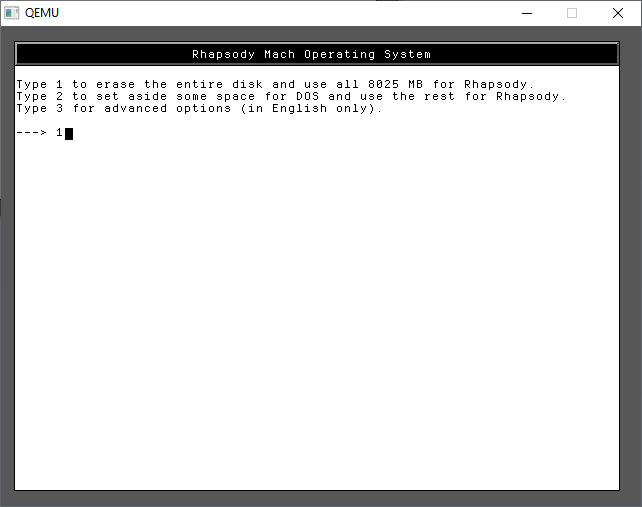
In the future we don’t need to dual boot so, just give it the entire disk.
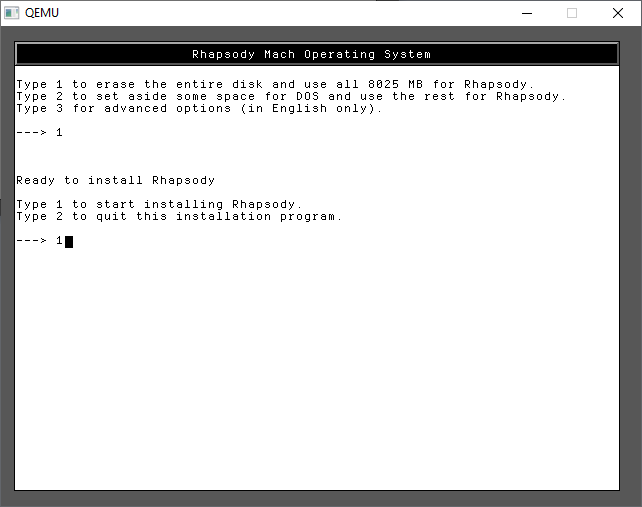
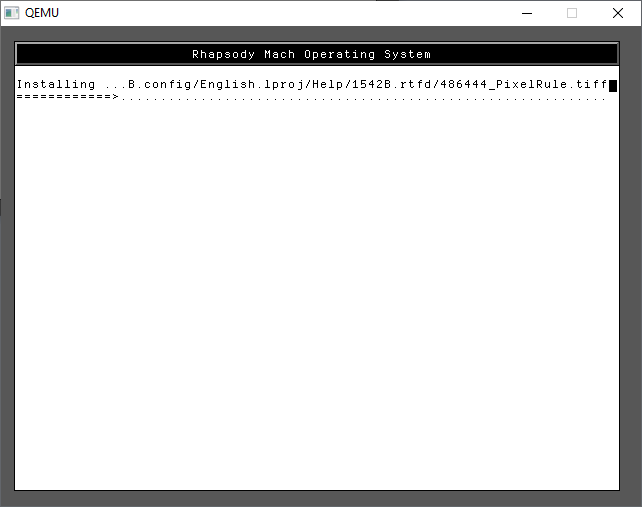
A few more 1’s and we are finally installing!
Trust me it’s fast on Qemu!
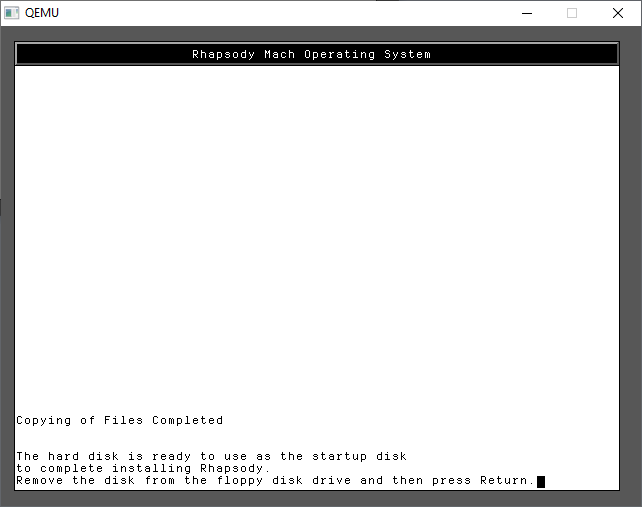
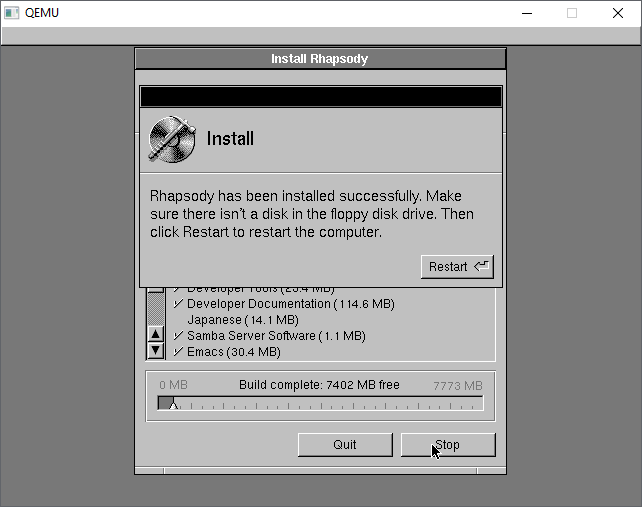
And just like that, we’ve completed the first part of the install.
You can use CONTROL+ALT+2 to toggle back to the monitor and type in
eject fda
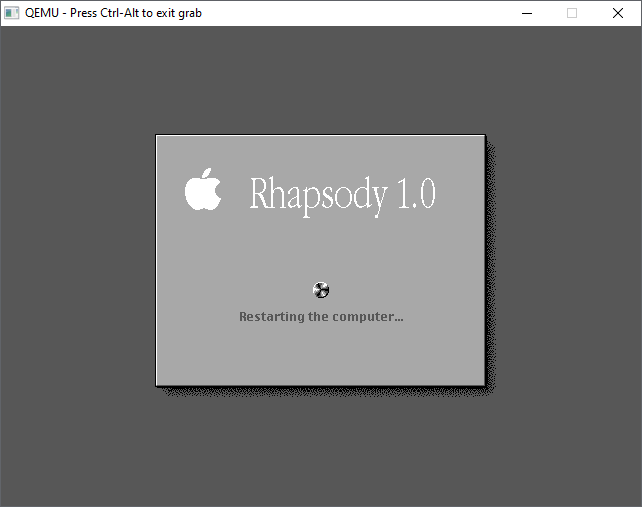
to eject the floppy, then it’s CONTROL+ALT+1 to return to the display and have it reboot. Qemu won’t try to boot to the hard disk, and with no disk in the drive, it’ll hang at the BIOS. Now is a good time to close Qemu and backup the hard disk. Mostly because I hate repeating this stuff.
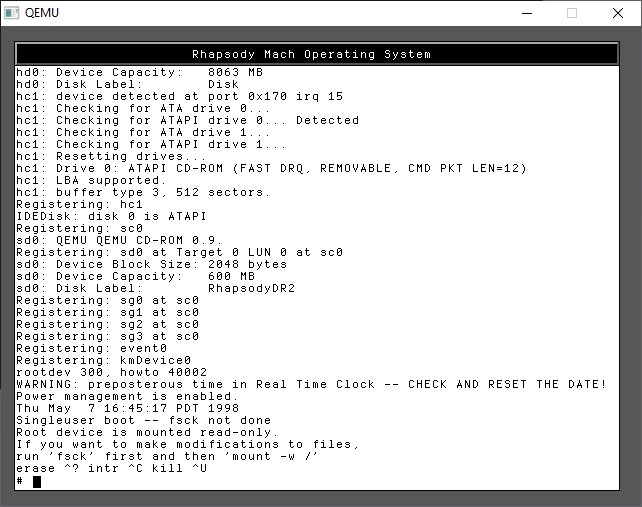
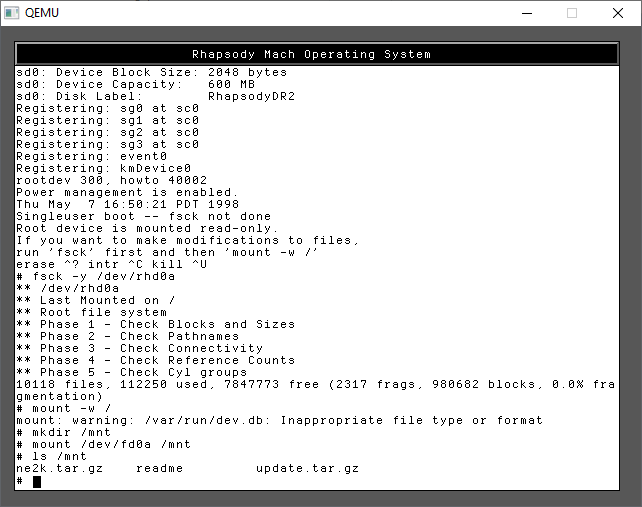
Type in -s for SINGLE USER MODE. This is where a lot of Unix problems got solved in the old days
It’s a little tricky as this does involve typing. As instructed we need to check the hard disk prior to mounting it read/write
run the commands:
fsck -y /dev/rhd0a
mount -w /
Now we can mount the floppy disk
mkdir /mnt
mount /dev/fd0a /mnt
ls /mnt
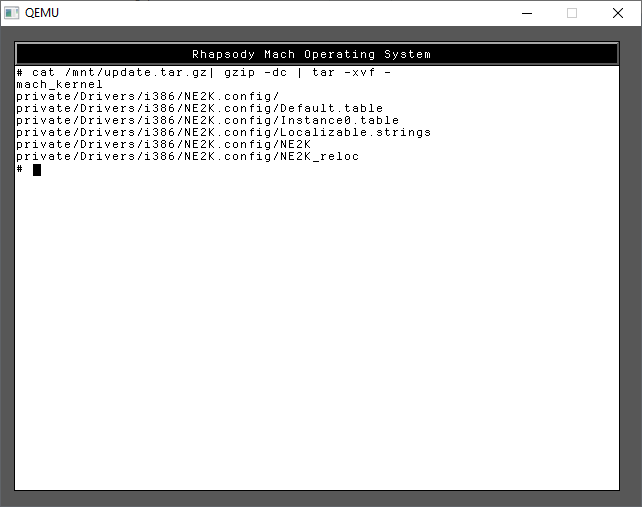
I’ve included both the kernel & NE2000 driver in one file, and JUST the NE2000 driver in the other. For my sake I use the first one, update.tar.gz as I wanted to use the newer kernel ASAP. tar -zxvf didn’t want to run, so I did a rather awkward version to achieve the same thing.
cat /mnt/update.tar.gz | gzip -dc | tar -xvf -
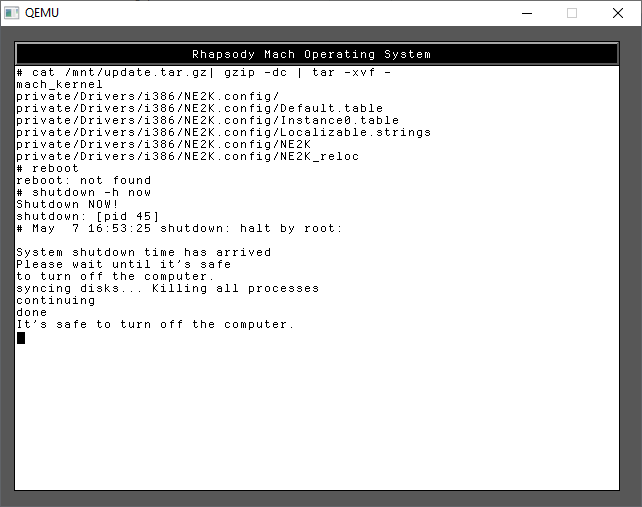
With the files in place, you can now shut down the system with a simple
shutdown -h now
Once more again, I’d shut down the emulator, and backup the hard disk. If anything goes wrong you can restore your backups at any phase, at least saving some time!
Next is the graphical install. In this case I use the hecnet bridge to give full access, you can setup with the slirp driver with a simple “-net user” but it doesn’t matter at the moment Since I opted for the newer kernel, I can take advantage of the 512MB RAM.
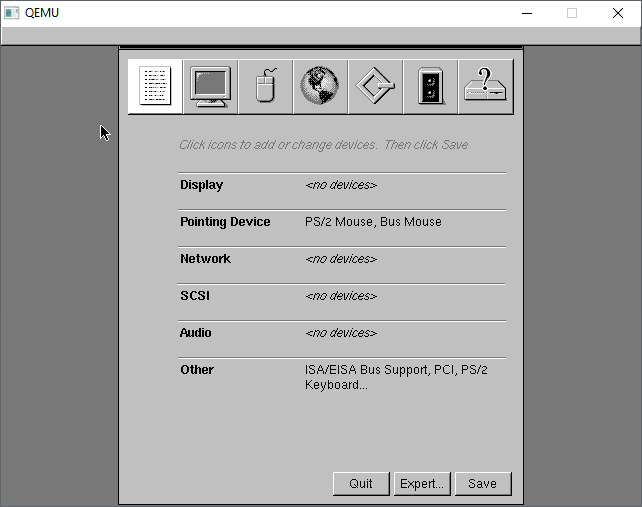
Now we have to setup the hardware. It should be somewhat straight forward, first we start with the monitor. The mouse should be working although I find that I have to move slowly. Sorry it tracks weird on real hardware too.
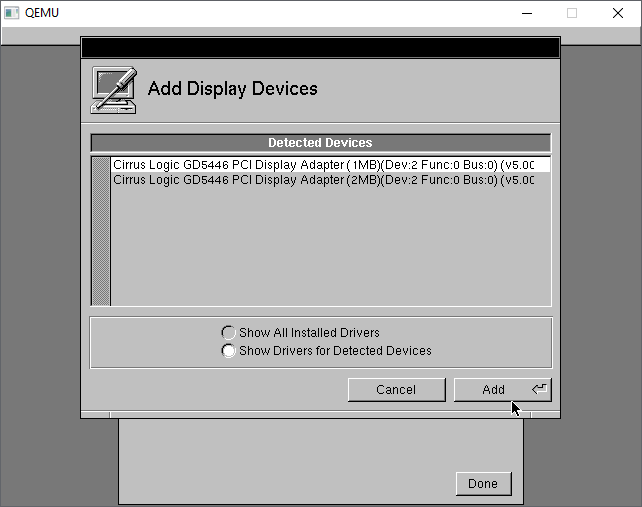
The Cirrus Logic GD5446 should be detected automatically, I just go with the default 1MB
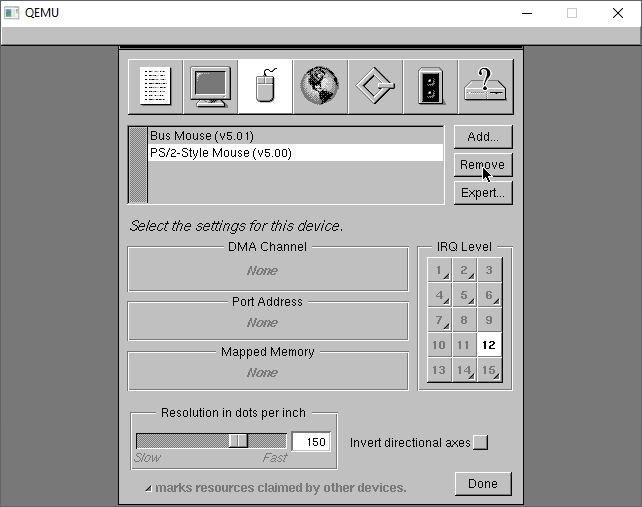
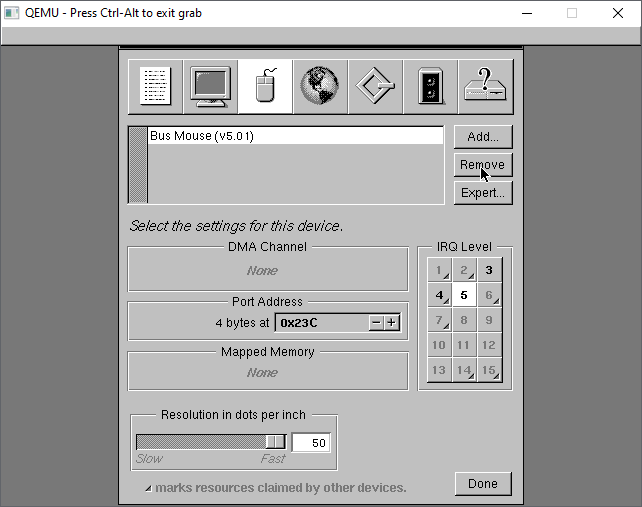
Next under the mice, select the PS/2 mouse and remove it
This leaves us with the Bus Mouse driver.
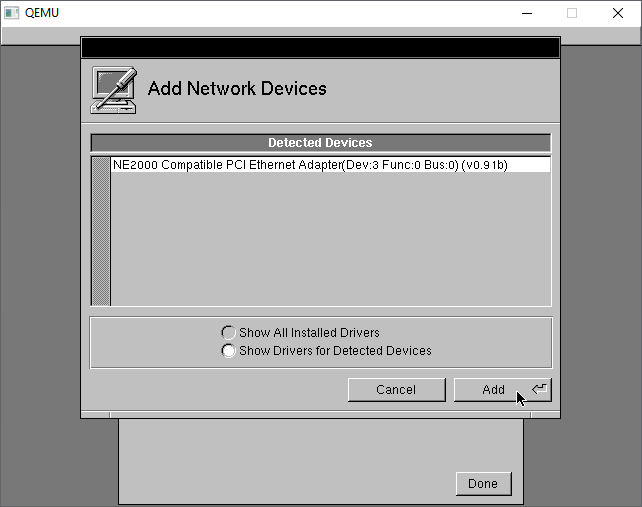
Under the network tab, the NE2000 should be automatically detected.
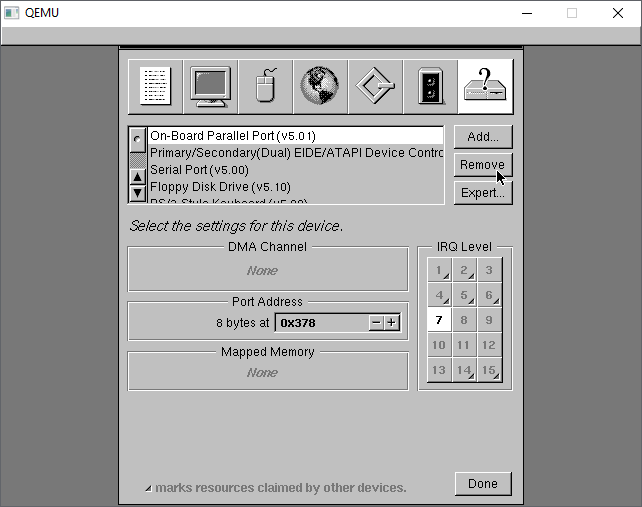
On the last tab, I make a habit of removing the Parallel port freeing IRQ 7, in case I wanted it for something else.
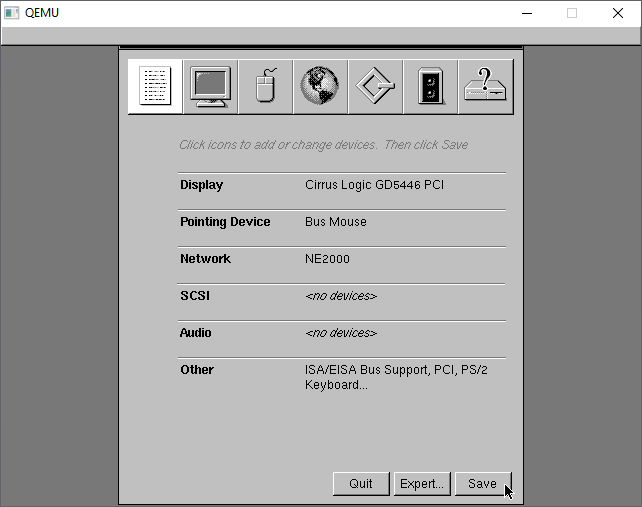
Back to the summary, we now have Cirrus Logic video, NE2k networking, with no SCSI, no Audio.
With the config saved, now we can just install as is. I un-installed Japanese, but it doesn’t matter. You absolutely need the Development Tools, so may as well go with eveything.
The installation only takes a few minutes and we are ready to reboot
The kernel will now shut down.
Once more again this is a great time to make another backup of the hard disk. At this point this is a great backup to save, as we’ve installed the OS, and selected drivers, in the next reboot we’ll be personalizing the operating system.
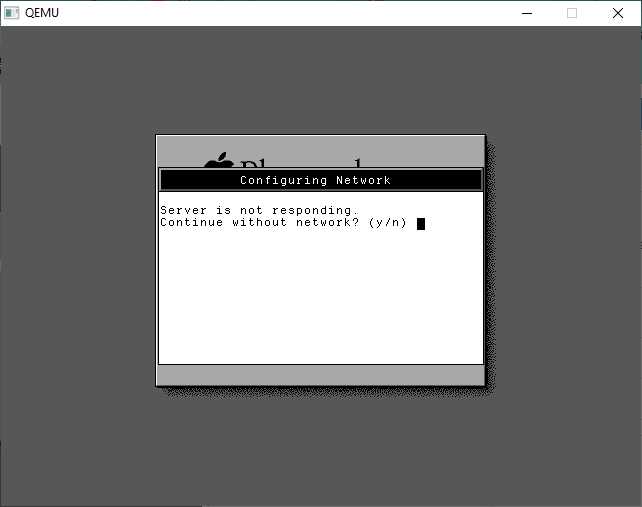
We can re-run the last config once the disk has been saved. We’ll be greeted with a message that the Server isn’t responding. Answer YES to continue without networking.
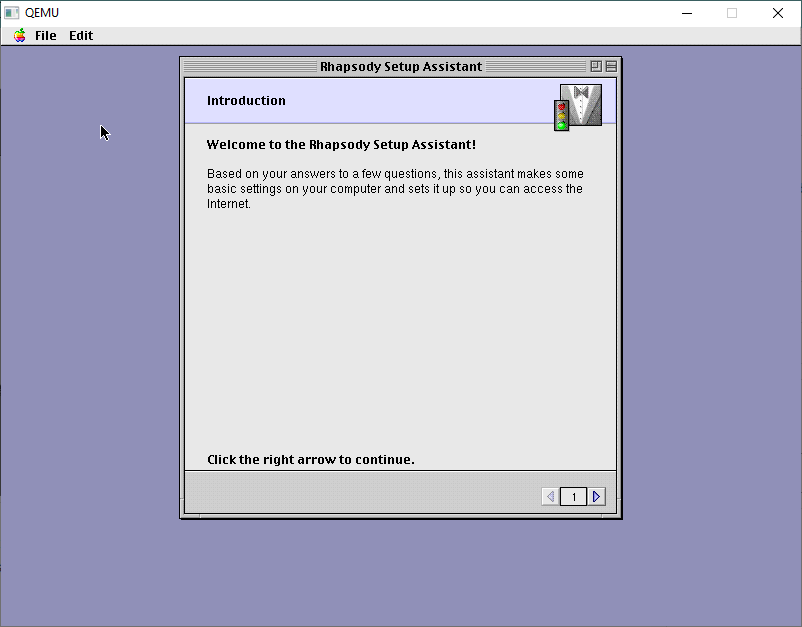
From here we are in the Setup Assistant, taking a nod from MacOS 8
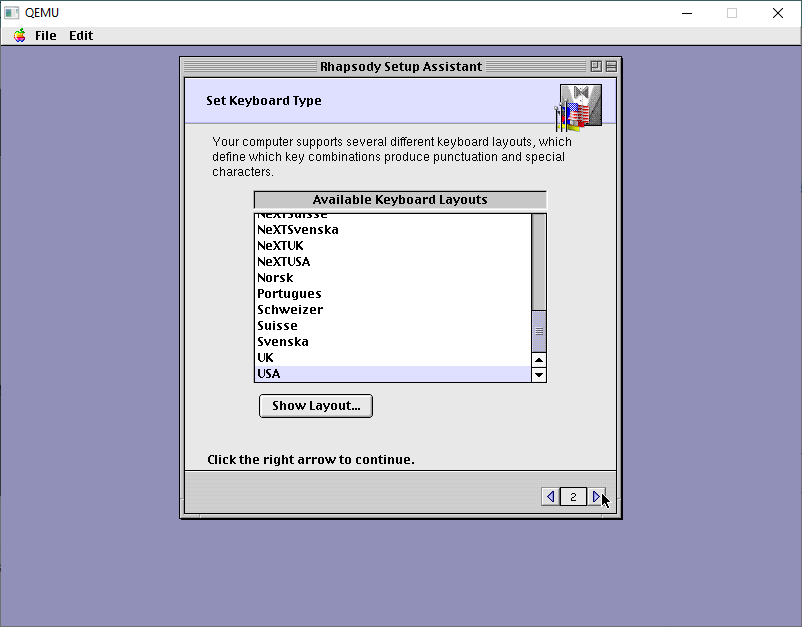
I use USA keyboards. The best keyboards! I touch type so I don’t have to deal with weird layouts.
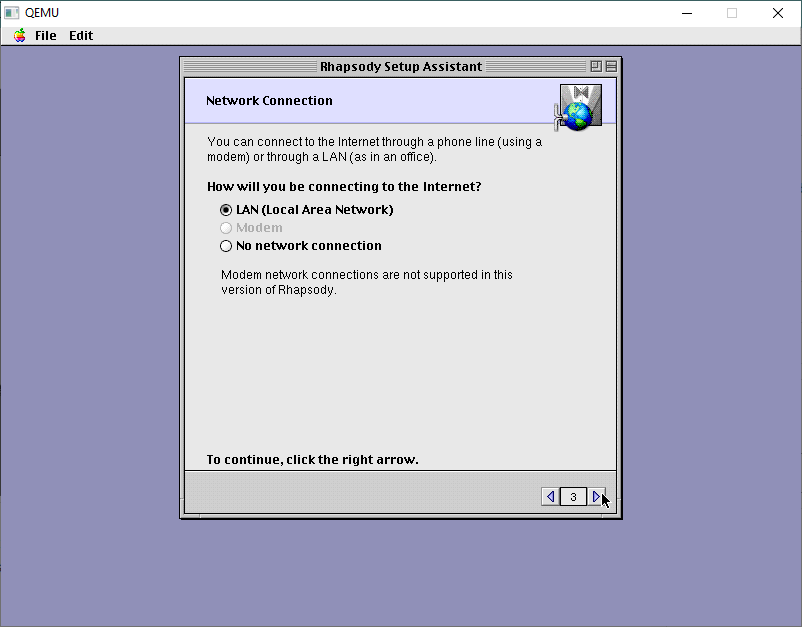
Specify for a LAN connection
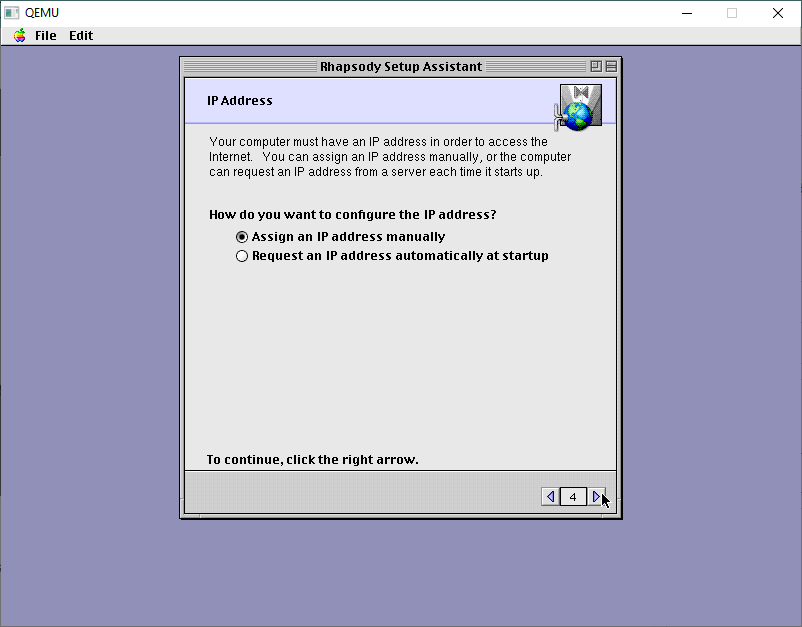
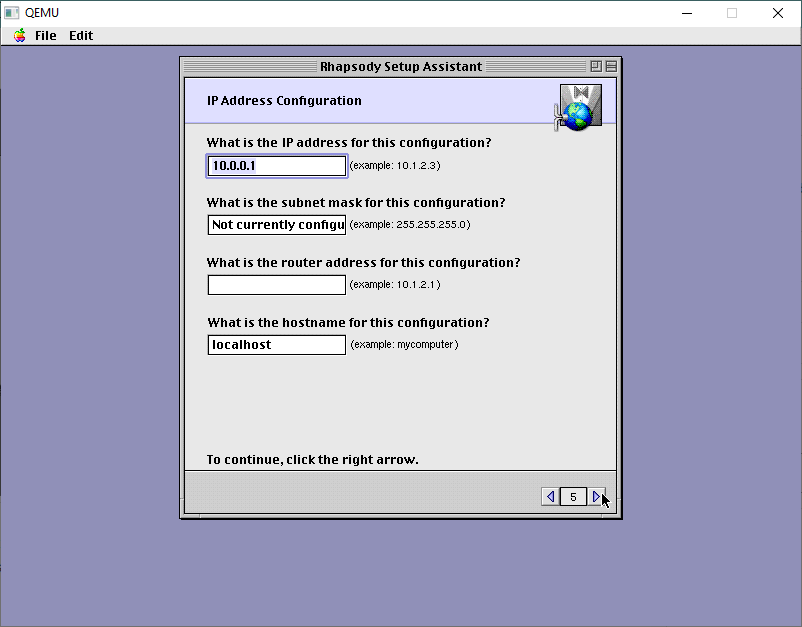
There is no DHCP support so specify a manual IP address.
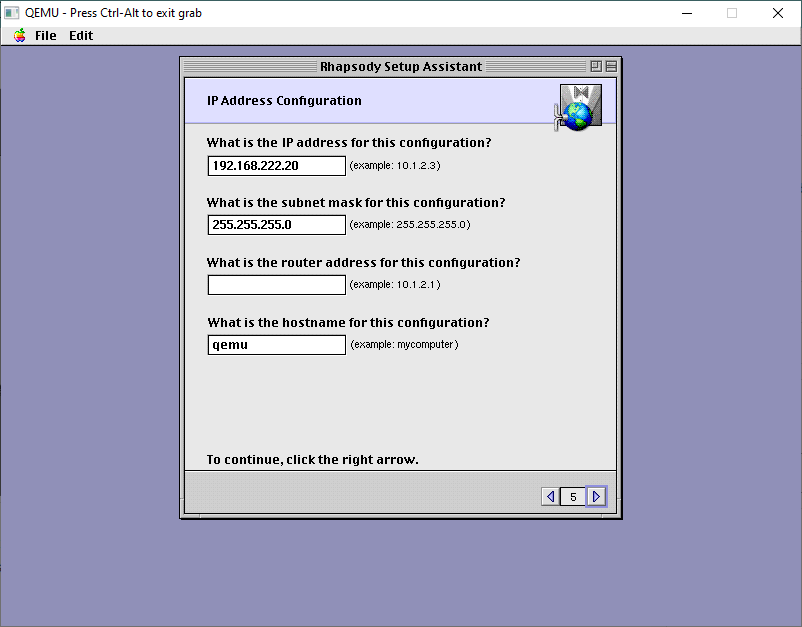
The default stuff is just wrong.
On my LAN this is good enough. DONT add a router. It’ll just confuse it.
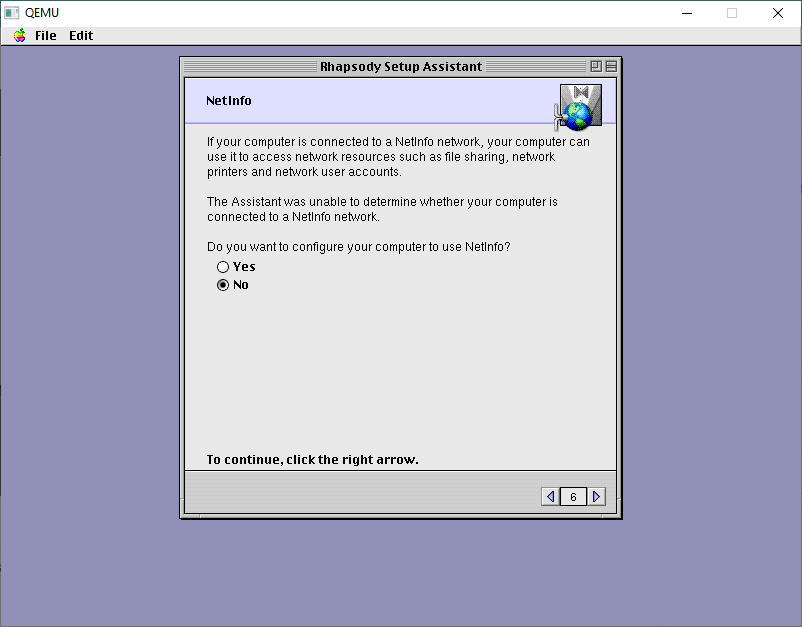
We don’t have or want NetInfo. This would be the server to give out IP addresses, and authentication. We don’t need it!
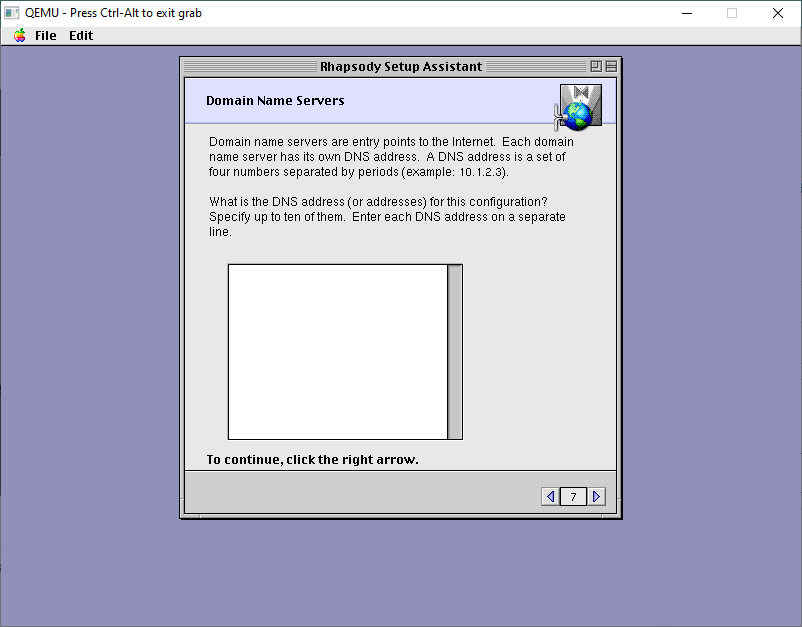
Leave the DNS servers blank
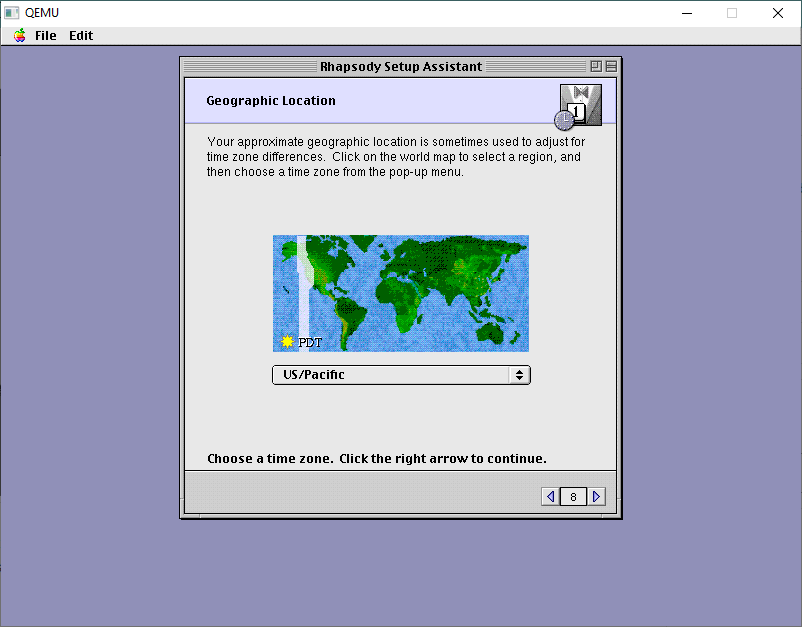
You can setup any location, it doesn’t matter.
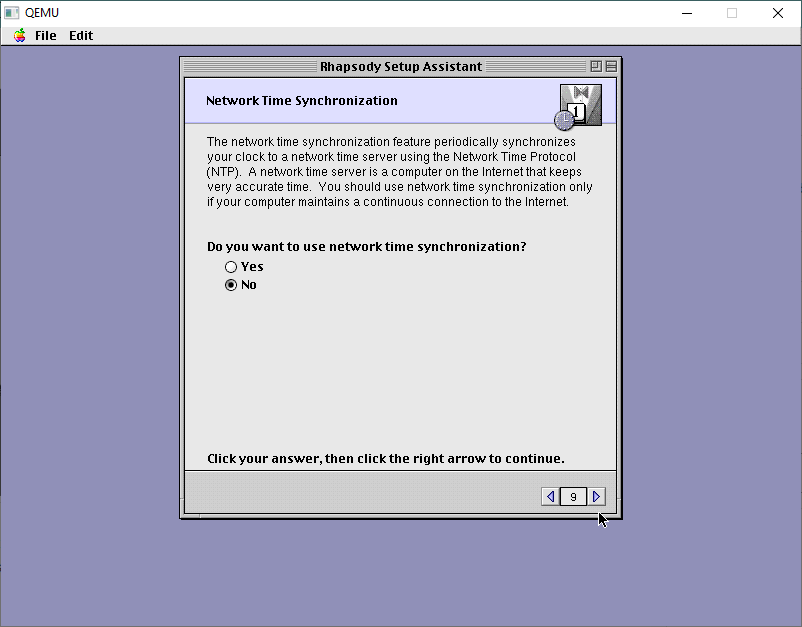
Likewise, with NTP, turn it off.
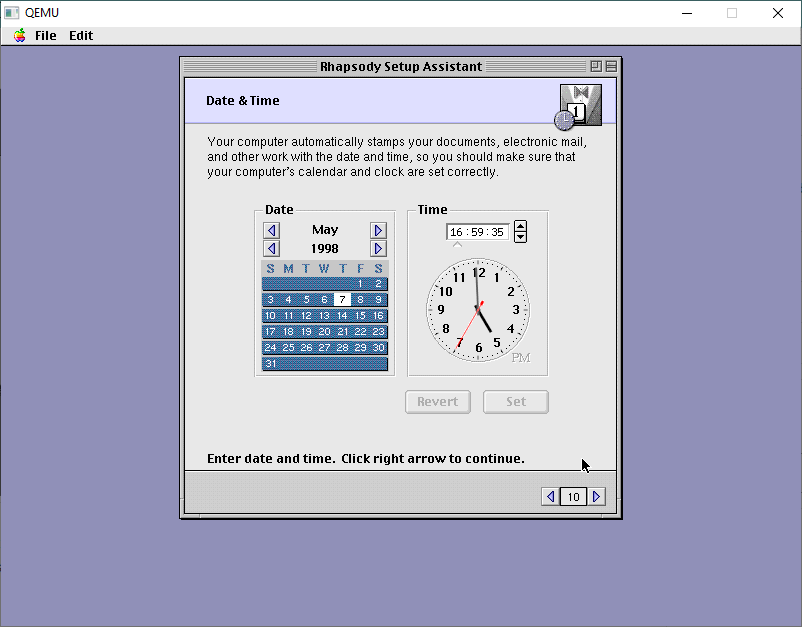
We will then get the option to set the date/time manually. The default time is far too old and it’ll break stuff.
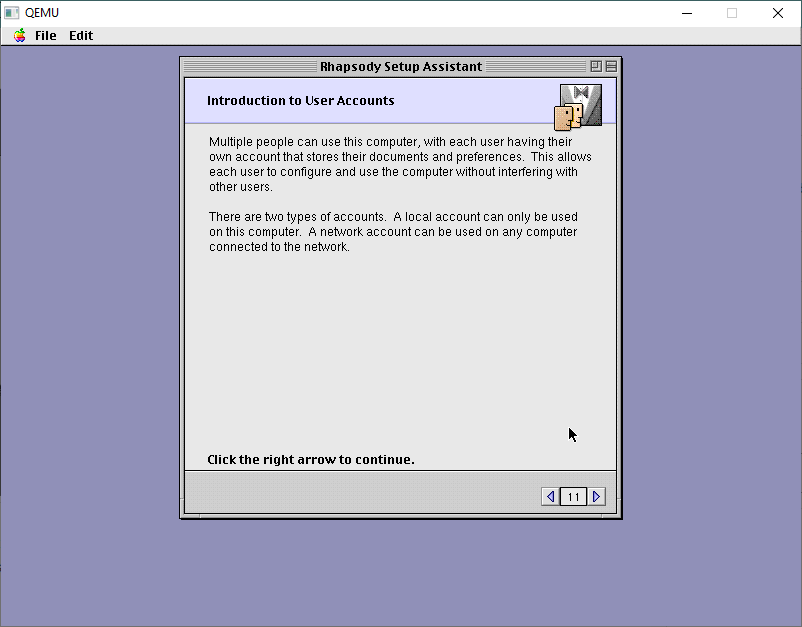
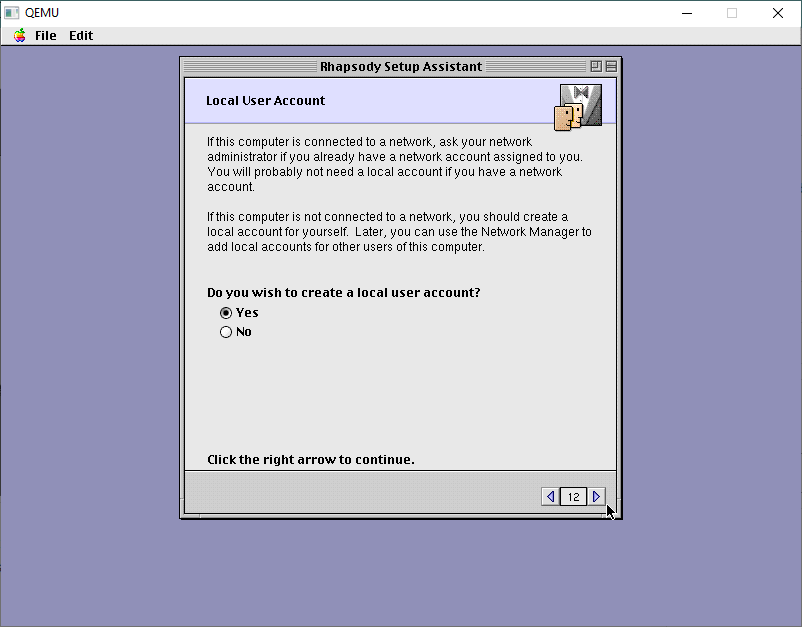
Next up is user accounts.
I always make local accounts.
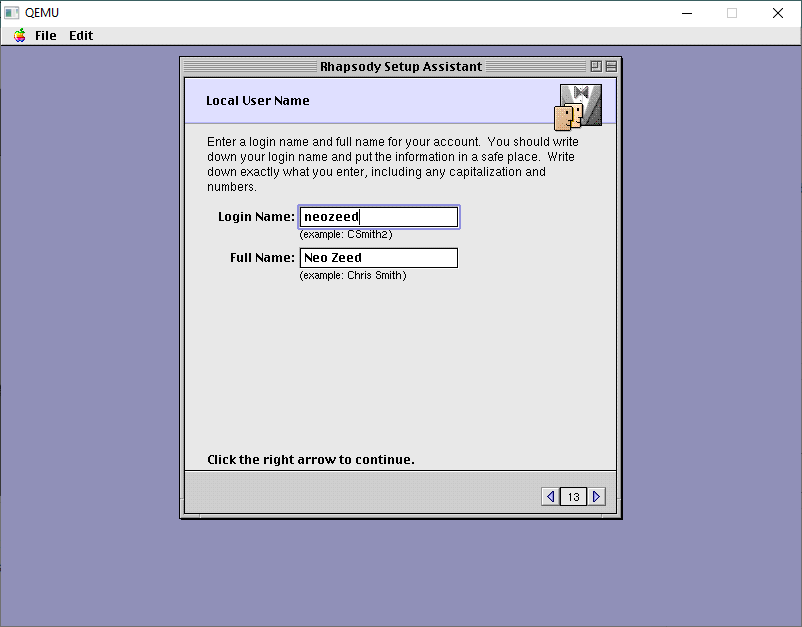
Come up with some creative name
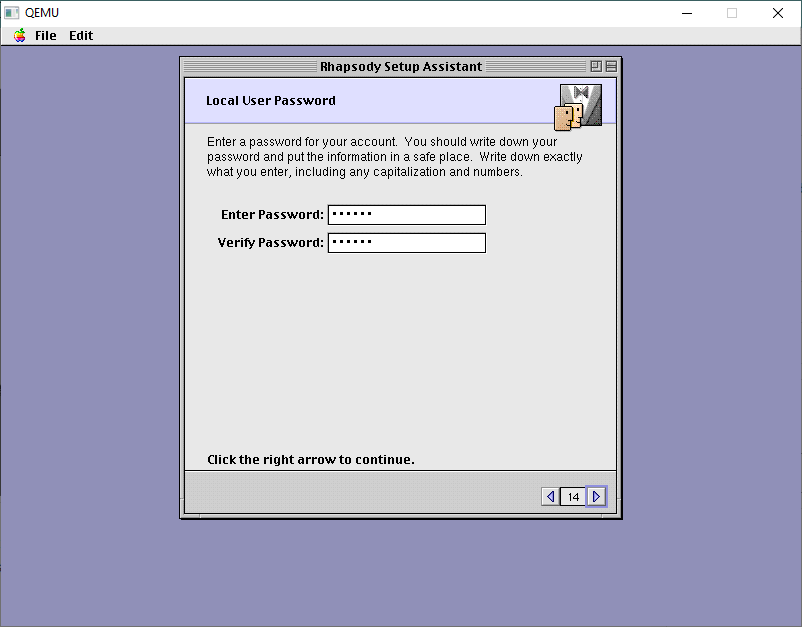
and a password
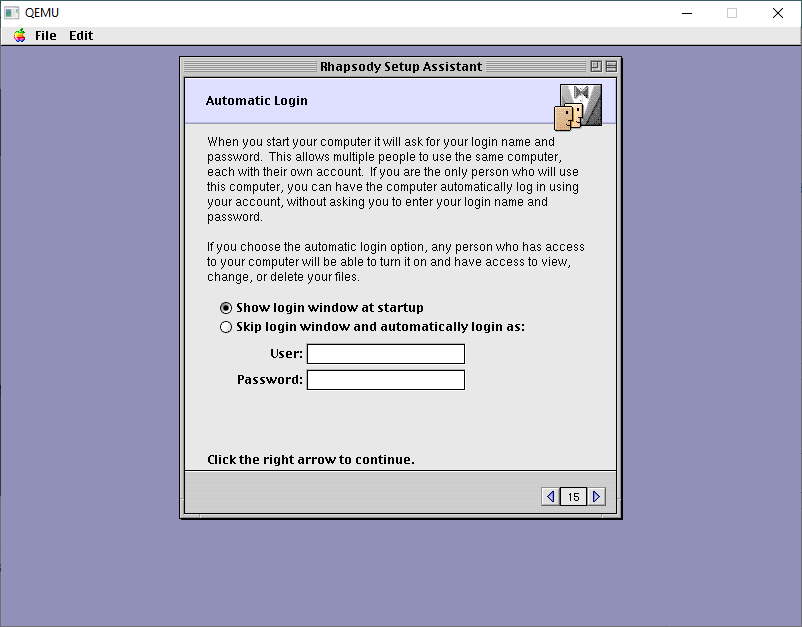
I don’t have it doing any automatic login. You can if you want, it’s all up to you, this one doesn’t matter.
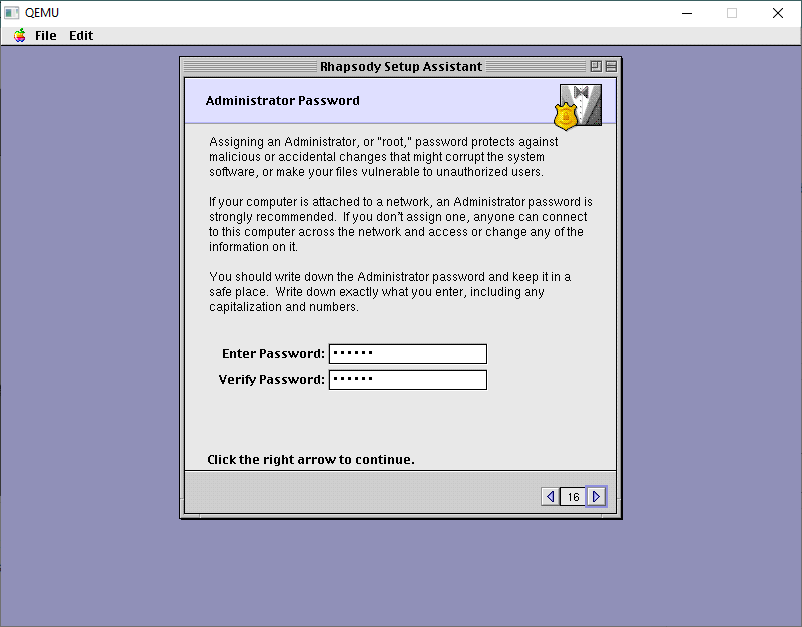
Next is an Administrator password
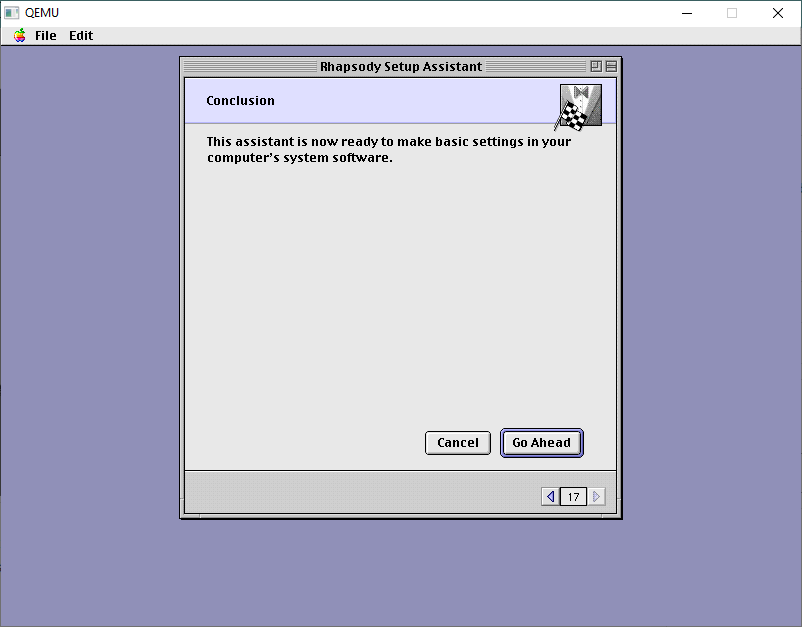
And now we can apply our changes.
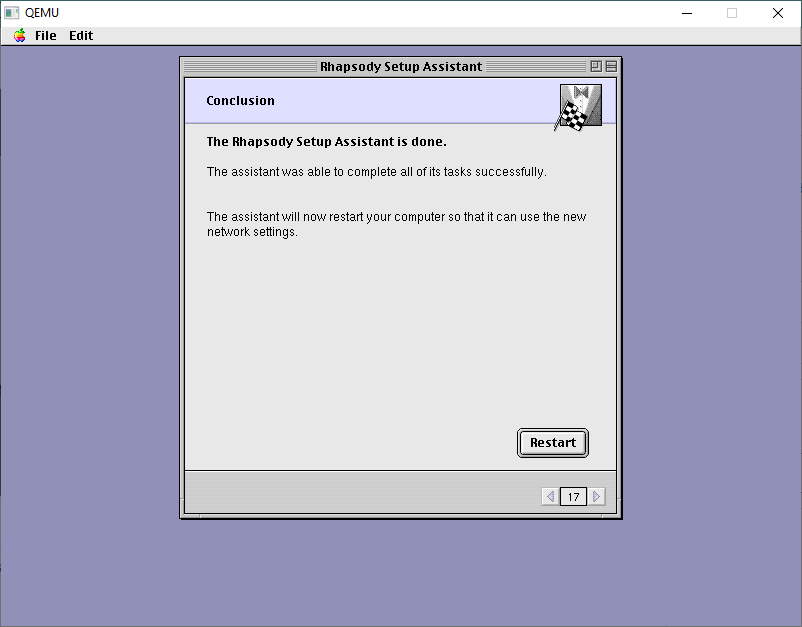
It takes seconds!
And now we’ere done. You may want yet another backup as this is tedious!
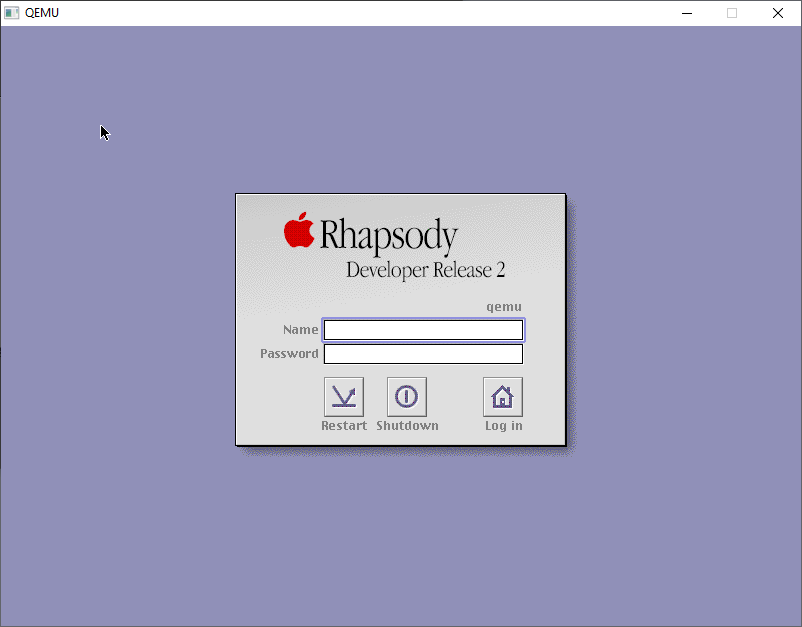
With the final configured backup in hand, now we can boot back one more time, and now we’re in SVGA mode!
Rhapsody DR2 Login Screen
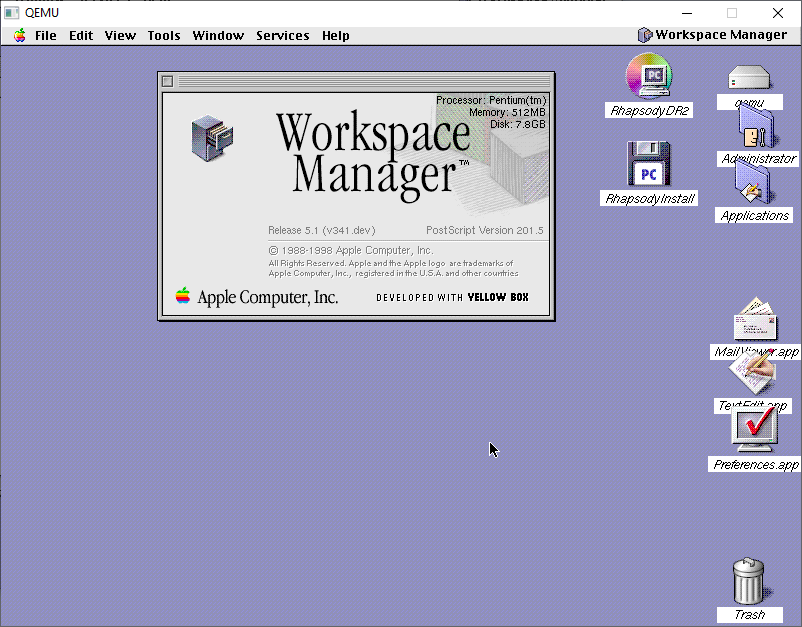
Logging in as root will give me the desktop
Desktop
And there we are, all installed.
For anyone brave enough to have read all of this, but wants the quick and easy version, it’s up on archive.org!
In part two I’ll pick up with the source CD-ROM I’ve prepared, so we can start compiling Darwin!
DoomNew, is a rather ambitious project by Maraakate, to attempt to revert the old linuxdoom-1.10 to something more akin to what shipped for DooM 1.9 using Hexen/Heretic source code to fill in many of the blanks in a very Jurassic Park like manipulation of it’s DNA (source code). It’s great and gives you a very cool MS-DOS based engine using the original Watcom tools. But there is always the one catch, which is that it relies on the original sound library, DMX.
And unfortunately, nobody has been able to get ahold of Paul Radek to see if he’d be okay with any kind of open-source license. So, sadly DMX has been a long-standing stumbling block for that ‘authentic’ super vanilla DOS DooM.
Enter the Raptor
Raptor: Call of the Shadows
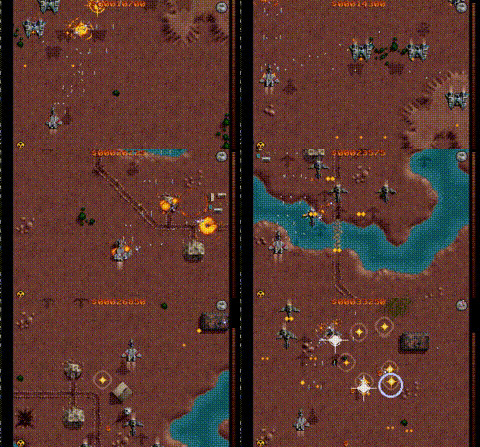
Fast forward to a few days ago, and I come across dosraptor on github. I had a copy of this back in the day, it was bundled on CD-ROM or something. I am absolutely terrible at games like this, but I did remember this one being incredibly fluid, and fun despite me having no skill. Raptor was written by Scott Host, and it’s still on sale over on steam! The source had been cleaned up with help from skynettx, nukeykt and NY00123.
I went ahead and built it from source, and in no time I was up and running. I found Watcom 9.5 was the best path to go with. I even made a ‘release‘ for those who don’t want the joy of building from source, and of course picked up a copy on both steam and his site. While building the source code, and looking at the directory tree that’s when I noticed apodmx:
This is a DMX sound library wrapper, which is powered by the
Apogee Sound System, the latter being written by Jim Dose for
3D Realms. When used together, they form a replacement for DMX.

The DMX wrapper was written by Nuke.YKT for PCDoom, a DOS port
of id Software's Doom title from the 90s.

It also includes the mus2mid converter, contributed by Ben Ryves for
Simon Howard's Chocolate Doom port, as well as the PC Speaker frequency table, dumped by Gez from a DOOM2.EXE file and later also added to Chocolate Doom.

A few years later, this wrapper was modified by NY00123; Mostly to be built as a standalone library, while removing dependencies on game code.
So it turns out that Raptor used DMX, just like DooM!
Well, isn’t that incredible!
Now the first question I had, was apodmx a direct drop-in replacement for DMX? Well basically, yes! Let’s check out the Adlib driver!
DooM 1.9 introNewDoom intro
As you can hear, the intro is very different. But it’s playing at least. Ok how about E1M1?
DooM 1.9 E1M1NewDoom E1M1
The Apogee Sound System is softer, and not quite the same as DMX, but compared to nothing I’m more than happy with it. The AdLib is kind of a weird card to drive, and I guess it’s not to surprising that there is such a variance.
How about a Roland Sound Canvas?
Nuked-SC55: Roland SC-55 emulation
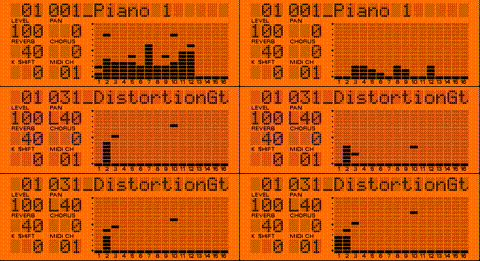
Sadly, mine is inaccessible, but thanks to nukeykt there is the Nuked-SC55: Roland SC-55 series emulation. I had to setup the MidiLoop as expected, and configure DosBox for the Loop and now I have a virtual Sound Canvas. So let’s see how the two engines deal with a common instrument!
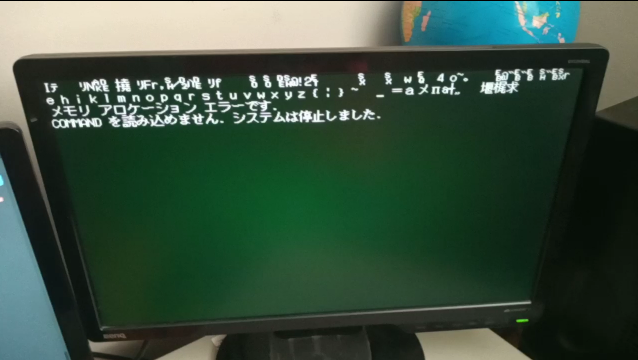
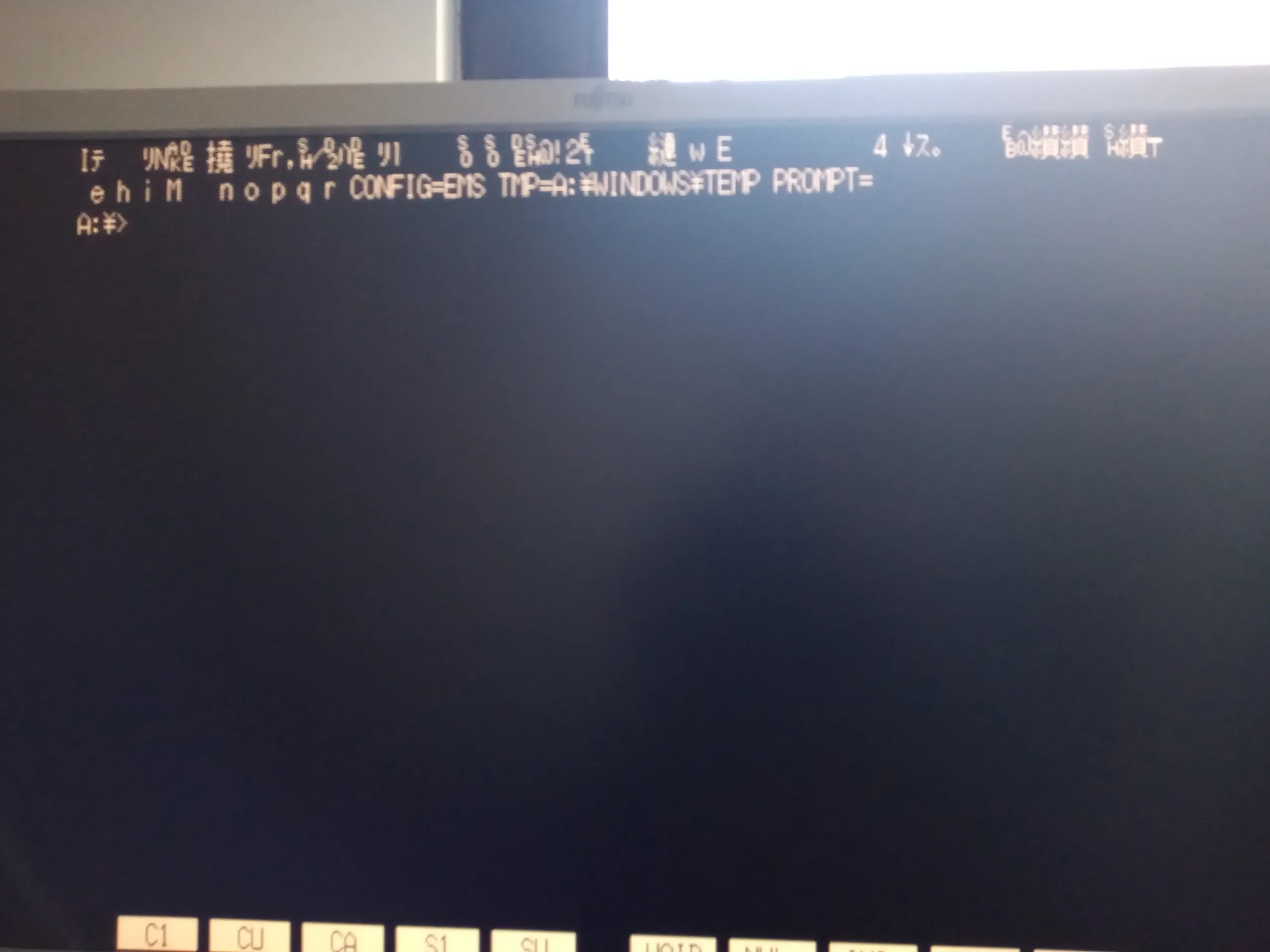
Sometime in June 2023, I came across a Twitter post by kuma_neko24 where he detailed his struggles in getting Policenauts to work on his PC-9821 V166. As I own the exact same machine, I figured I should give it a shot myself and report the results. Unfortunately, while I was experimenting, I had hit a strange situation where certain executable files would randomly corrupt themselves and become unusable:
I figured the game might’ve been the culprit, but after restoring the most recent backup, the same thing happened not long after, without even trying to play the game. I’ve done Memtests of the SDRAM, as well as block level diagnosis of the CF card, and they were fine, so I attributed it to a corrupt filesystem.
I then restored a much older backup, and moved over all the known good files from the recent backup. Things seemed fine for a while, but then the exact same situation happened again. I decided to look into the issue in more detail, and I’ve noticed that affected files like WIN.COM and KRNL386.EXE were 3KB larger…. as we’ll see later, this should’ve been an immediate red flag, but I yet again brushed it off as a bad filesystem or CF card.
Fast forward to March 2024, and I got myself a set of new CompactFlash cards. I had once again restored the last known good backup, and for about a day everything seemed alright, until….
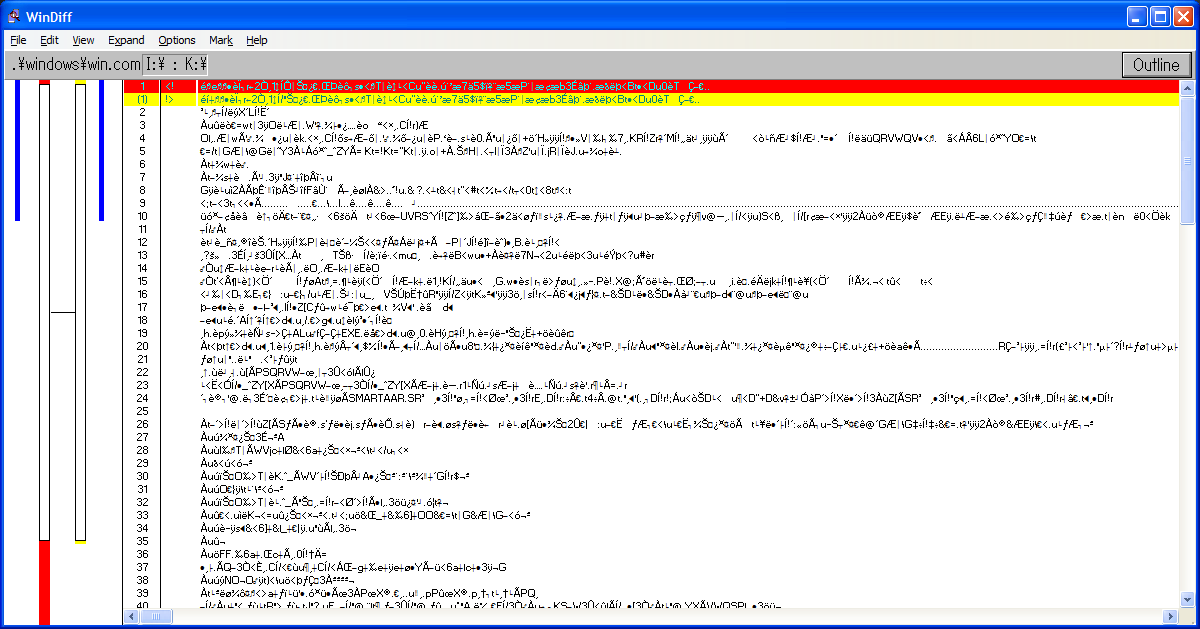
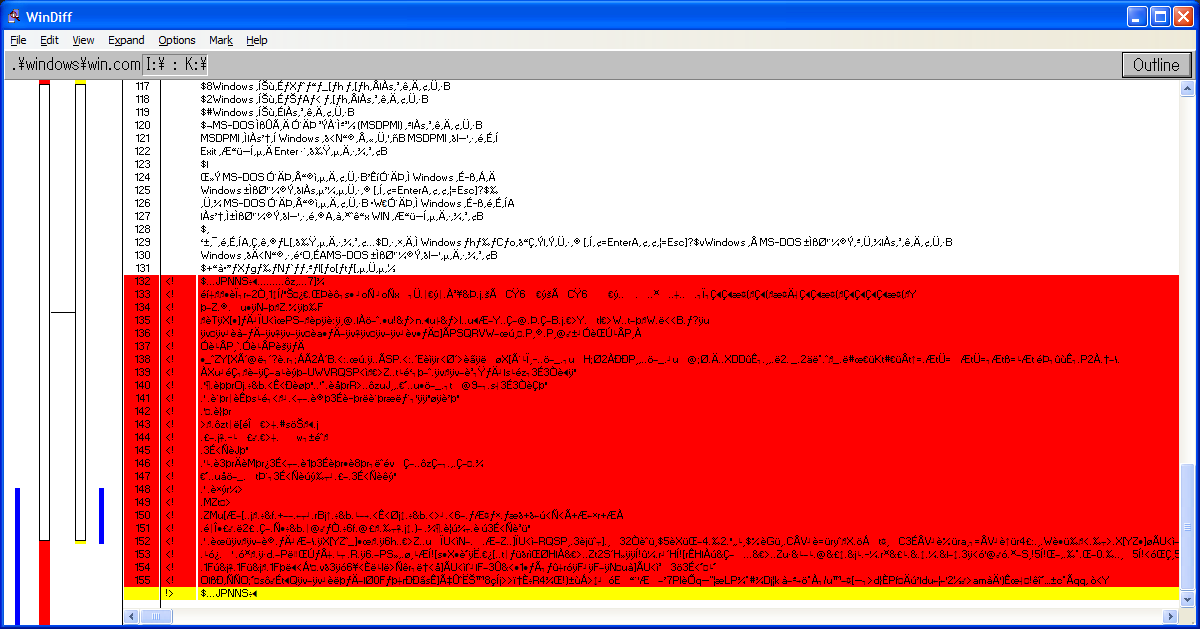
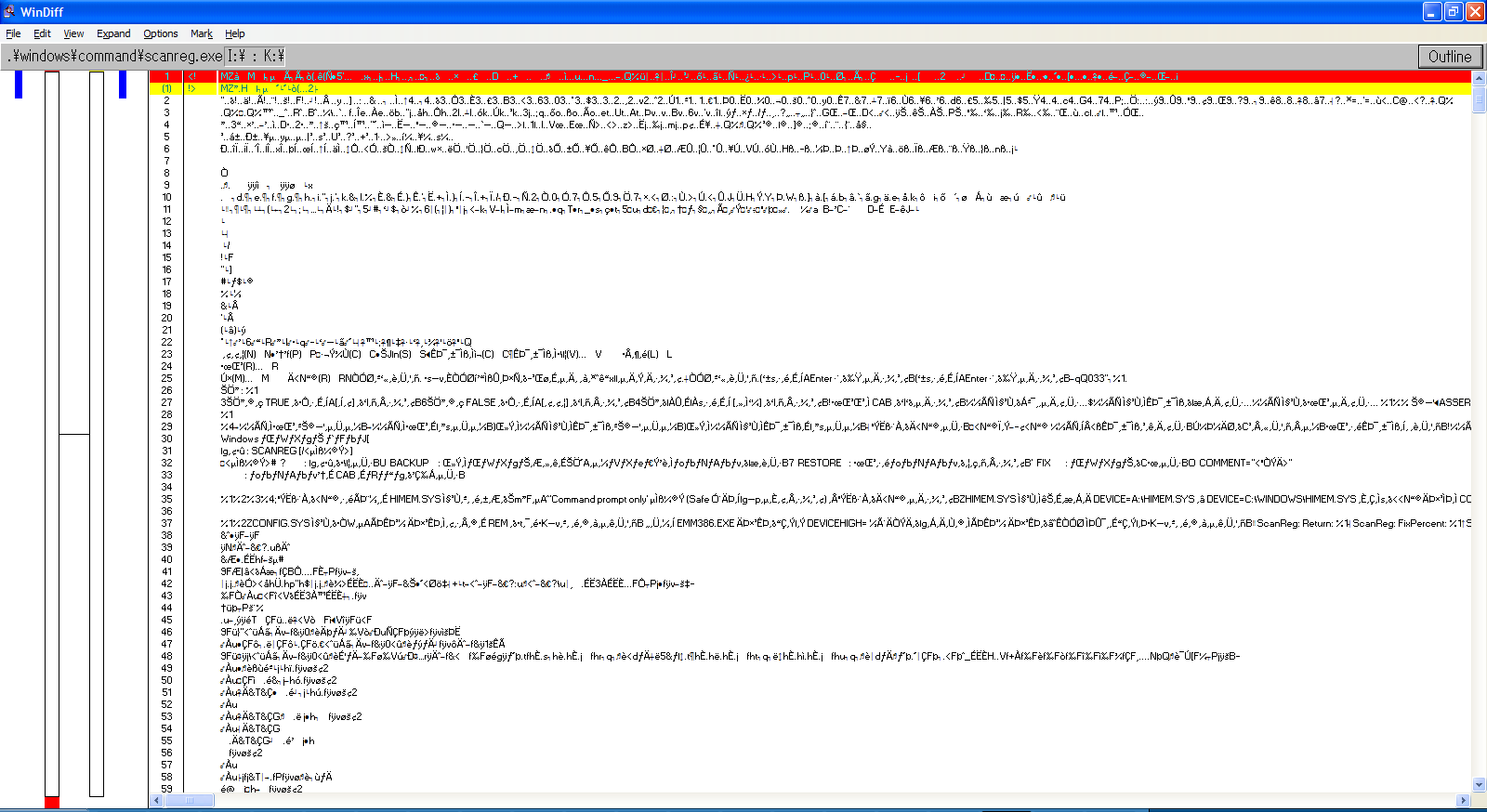
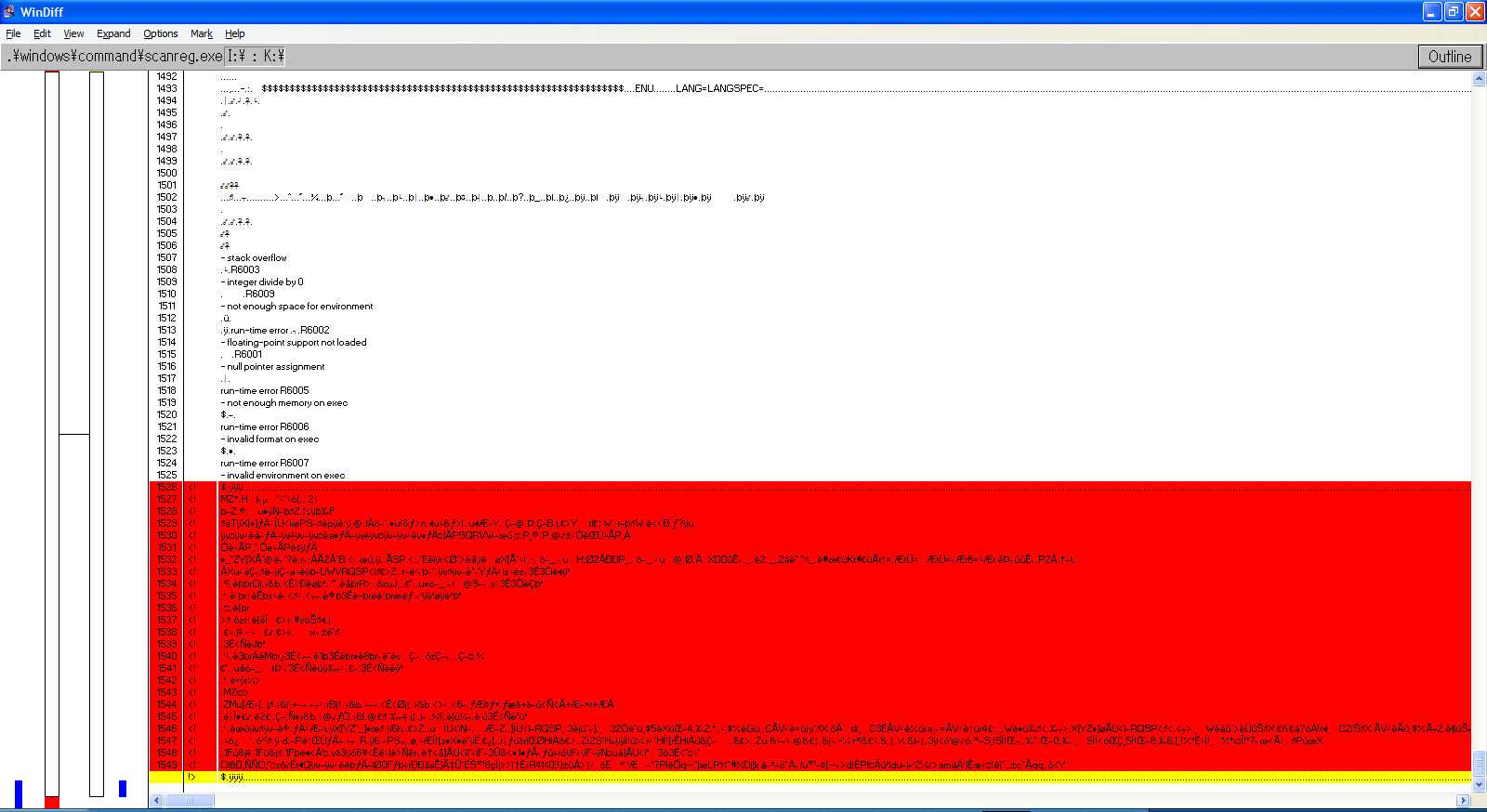
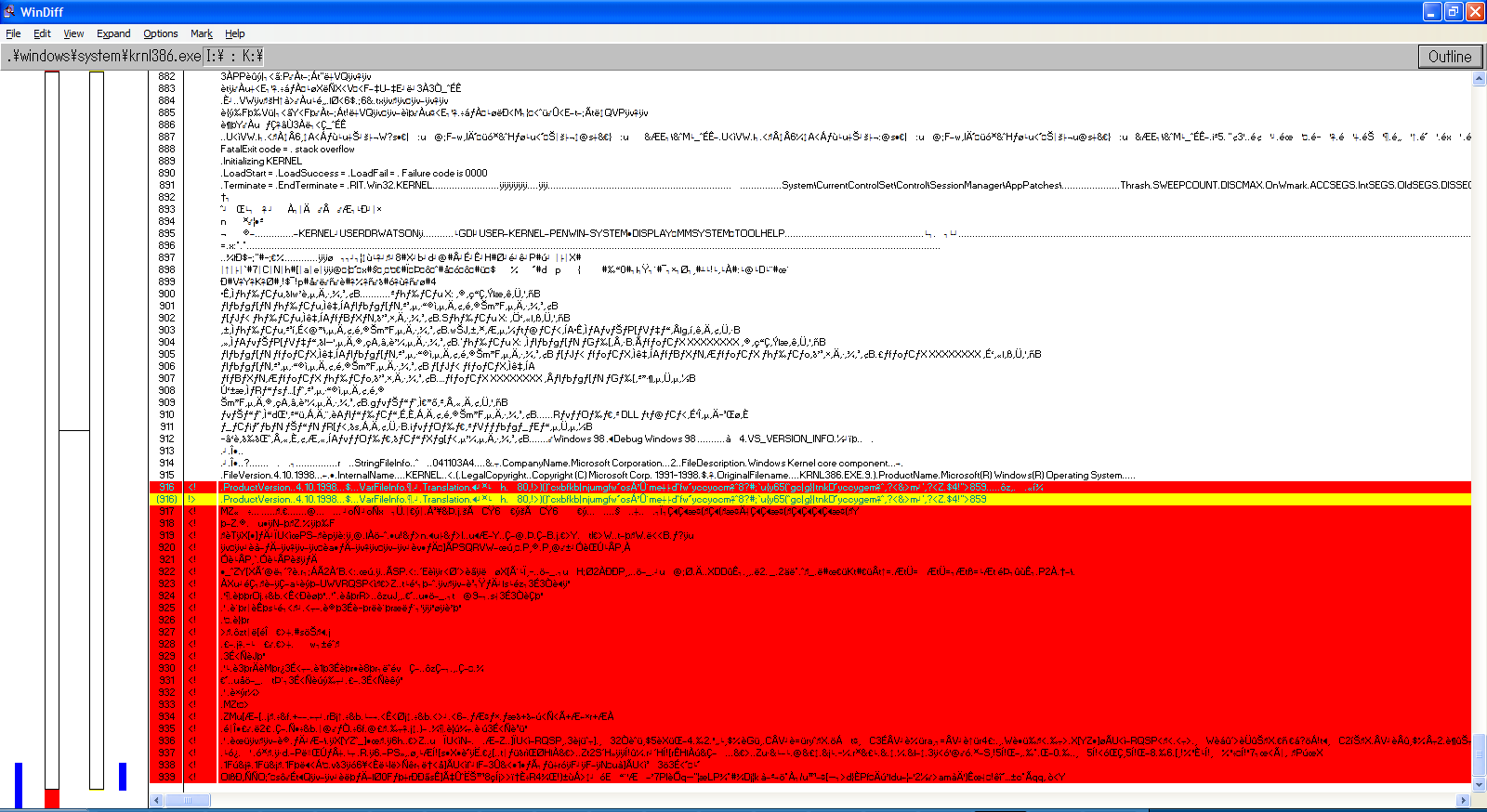
Needless to say, all my previous hypotheses turned out to be wrong. As such, I investigated yet again into the corrupted files, and used windiff to take a closer look into what actually changed. Let’s take a look at WIN.COM, SCANREG.EXE and KRNL386.EXE:
We can observe the following pattern:
The files always grow in size
windiff shows that the header is modified and that a bunch of garbage is added at EOF
It’s always the same exact garbage
Additional examinations show that MEM.EXE also has these modifications
MZ headers are present, so it’s certainly executable code
By every metric, this isn’t a set of accidental corruptions, these are deliberate infections.
I then proceeded to take a sample of the suspiciously added code, did a byte scan of every file on the card, and isolated the following programs as infected:
A:\WINDOWS\WIN.COM
A:\WINDOWS\COMMAND\MEM.EXE
A:\WINDOWS\COMMAND\SCANREG.EXE
A:\WINDOWS\SYSTEM\KRNL386.EXE
B:\RECYCLED\DB51.EXE
B:\WIN31\WIN.COM
B:\WIN31\SYSTEM\DOSX.EXE
B:\SBVGM\VGMPlay.exe
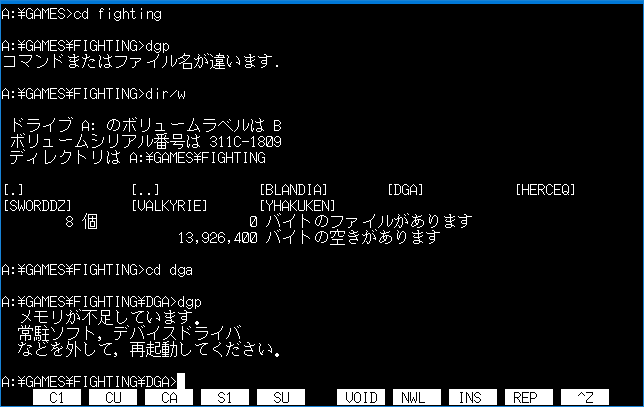
B:\GAMES\FIGHTING\DGA\DGP.EXE
Most of these are self-explanatory, apart from the last two. VGMPlay is a program by Scali that allows playback of OPN(A) and OPL3 VGM files even on PC-98s without a SoundBlaster 16/98. I know this program is not the culprit, since the original program I got is clean. DGP, on the other hand, is a different story, and it needs a bit of a foreword.
Duelists and queens!
DGP is a shorthand for “Duelist Gaiden Plus”, which refers to the game “Queen of Duelist Gaiden Alpha Plus”.
The original Queen of Duelist is a rubbish game not worth anybody’s time or any further mentions. Queen of Duelist Gaiden Alpha is the 1994 sequel, which is a significantly better game, and arguably one of the best fighters for any personal computer at the time, featuring:
10 fully voiced characters
Adjustable game speed
Dual PWM sampling over the integrated PC beeper speaker
Decent performance on a 286, and more
At the end of 1994, Agumix released an upgrade for the game called “Queen of Duelist Gaiden Alpha+”, which introduces some quality of life improvements. This update requires the original Gaiden Alpha to already be installed, although it doesn’t do any differential patching, it just replaces existing files with newer variants, and adds the DGP.EXE executable to be used instead of DGA.EXE. Shockingly, all of my older backups containing the patch, as well as the dump of the disk itself (available on Neo Kobe PC-9801) contain the suspicious code.
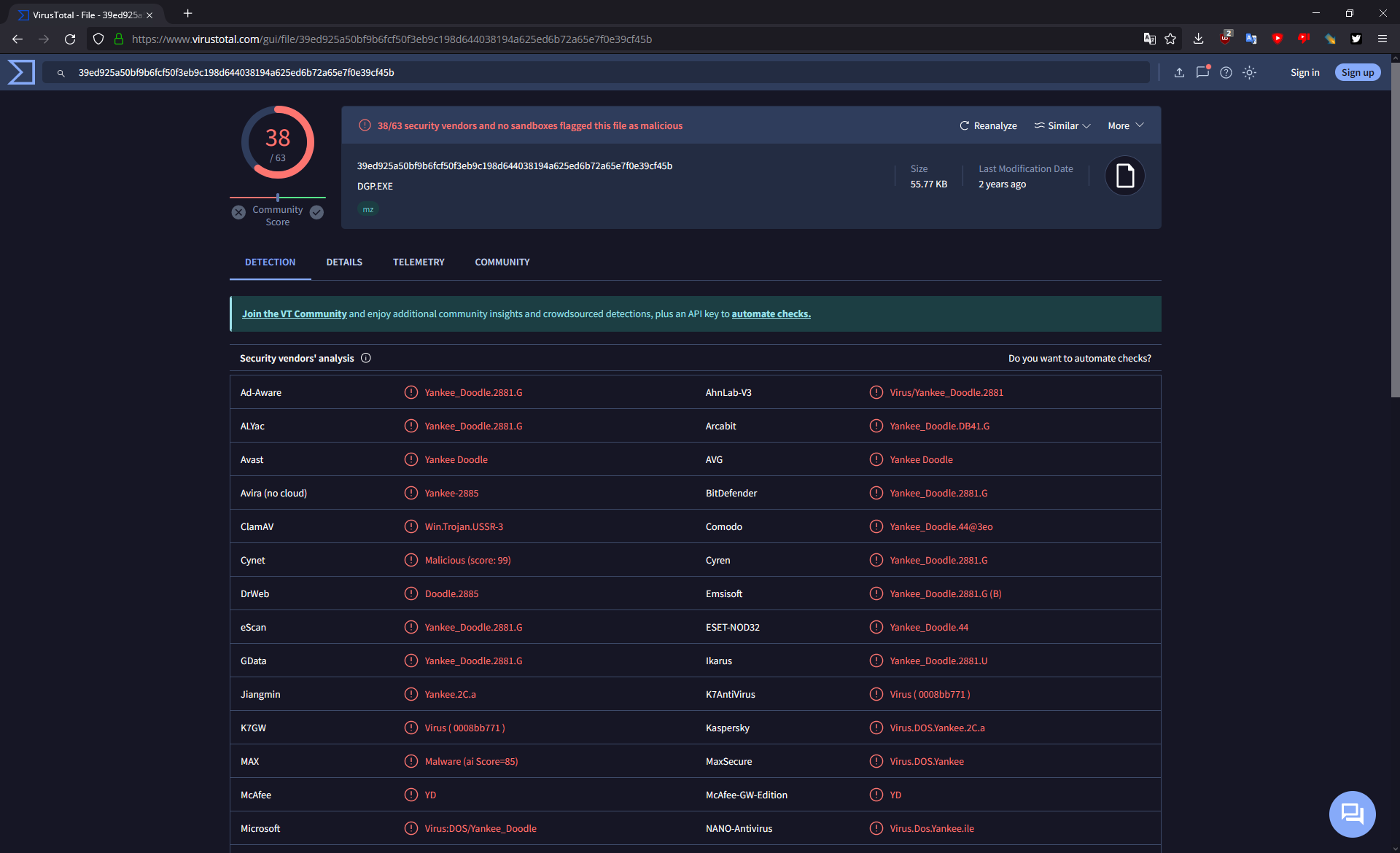
I didn’t expect it to return any results at first, but I uploaded DGP.EXE to VirusTotal for scanning, and well…
Who would’ve thought, the update was distributed with a copy of the Yankee Doodle virus embedded within!
Yankee Doodle is a very simple COM and EXE self-injecting virus from 1989. When executed, it resides in memory and infects COM and EXE files that use certain INT 21h DOS API calls, which include the files in the above list. It’s payload is normally supposed to play the Yankee Doodle tune through the PC speaker at 17h every day, but on PC-98 what it does instead is catastrophically fail and crash the entire system. It’s infection routines, however, do work.
A thing worth pointing out is that the infection routine is not automated. It will only engage when executing other programs from DOS manually. This should never be possible after starting the game, since there’s no way to return to the DOS command line without a full system reboot…
… unless you tried to start the game with not enough free memory, after which the game will dump you back to DOS. Pretty much every DOS user would, in situations like this, start MEM (preferrably with the /C and /P flags) to check what uses so much memory and how little remains free.
Sadly, for us, Yankee Doodle remains memory resident in this case, and it infects MEM as soon as it’s run, which explains how it got infected. Now every time you check your memory, the virus will be waiting to spread further.
Well, now what?
No known clean copy of the Plus version is known to be in circulation, and the only available source currently is the compromised disk image on Neo Kobe. Additionally, nobody knows if the game was originally distributed with the infection, or if the person sharing a dump of the game around through P2P back in the 1990s had infected his copy. As such, unless an original physical copy is found on auction, dumped, and confirmed clean, the only solution is to patch out the infectious payload from the game. Until then, do not play Queen of Duelist Gaiden Alpha Plus on your PC-98 machine!
EDIT 2024-03-31: Fortunately it appears that the “Alt 1” dump available on Neo Kobe has a clean copy of DGP.EXE. DrNyquist has also confirmed that this torrent also has a clean dump.
Conclusion: steer clear of the primary dump on Neo Kobe, use the others mentioned above.
The UnixWare 7.1.1 install program has a date & time Y2k problem. And this always ends in whatever licensing you give it to install will expire and be nullified. Luckily this time while re-installing on VMware I saw if you defer the license on install, It’ll grant you a temporary eval license. It’s not going to matter as it’ll immediately expire, but it get’s us past the install.
Qemu however let’s you rev up the time machine and specify a starting time
-rtc base=1999-09-29T15:00:00
As simple as that. I found for installing with Qemu 8.0 (Latest win32) binary it worked well enough like this:
Installation in a stock boring VM goes fine, there is built in support for the AMD PCnet driver, so things ‘just work’. And then on the VMware reboot it never launches X11.
Starting Desktop works fine on Qemu
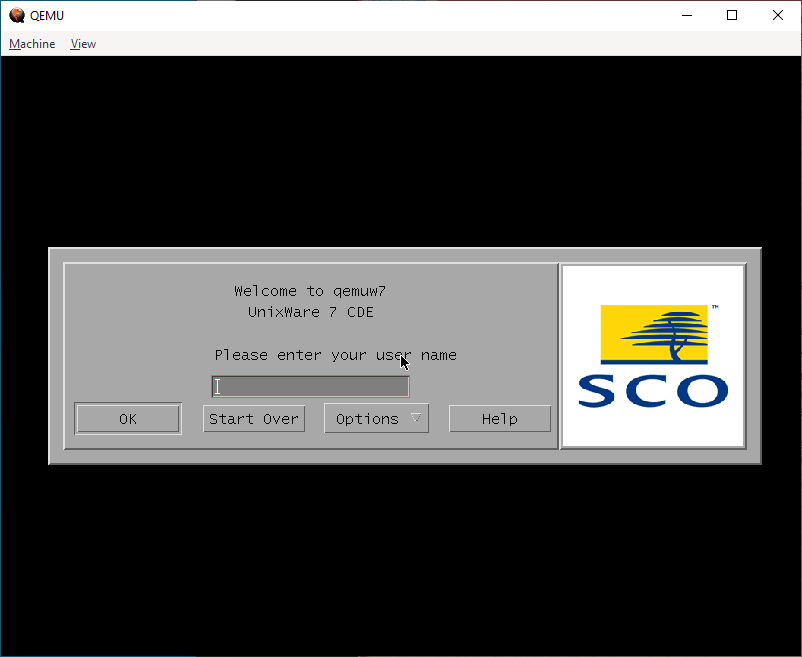
Under Qemu, I’m greeted by CDE and the login page. On VMware however…
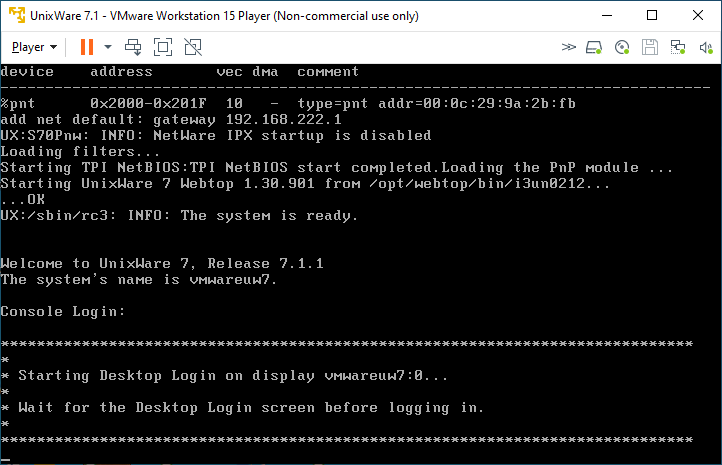
Starting Desktop never starts
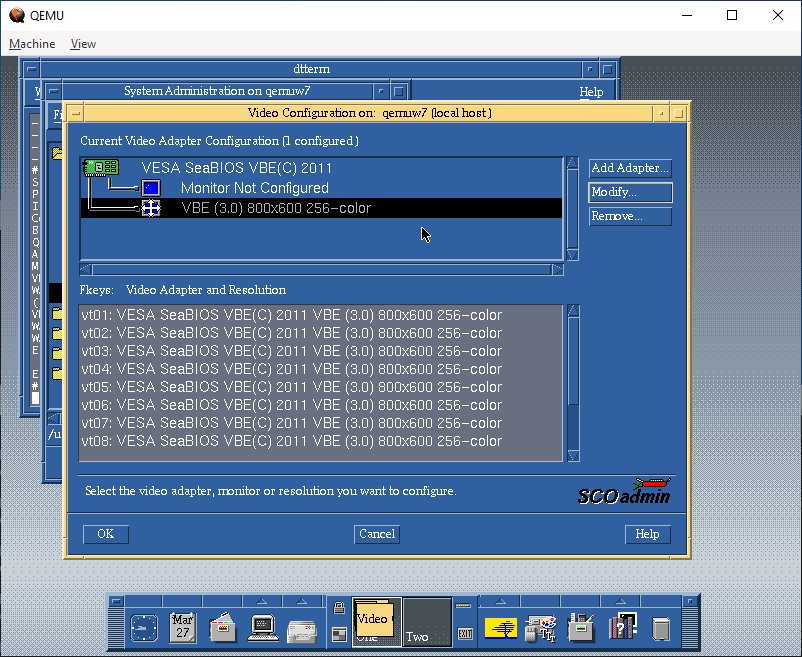
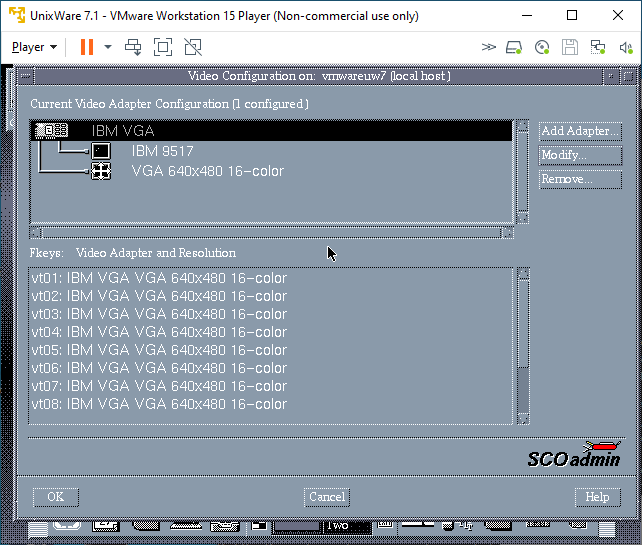
I know t his used to work on VMware, but there is some regression in the VESA video driver. The fix was to use scoadmin and knock the video settings down to stock VGA. Luckily I have an X server running on Windows, so I could just export the display and set it up.
Video Configuration on Qemu
Whereas I had to set VMware to VGA:
Video Configuration on VMware
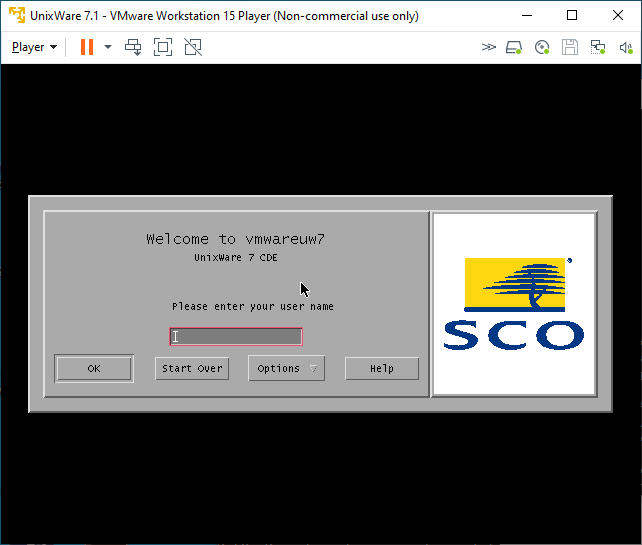
And one more reboot, and I was at least given a graphical console:
Now able to login to VMware graphically
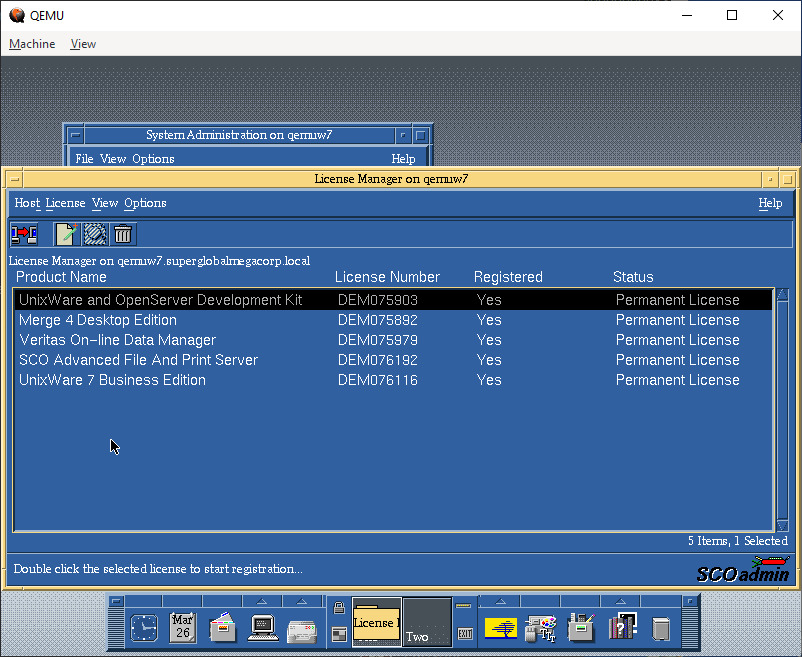
Inputting the licenses
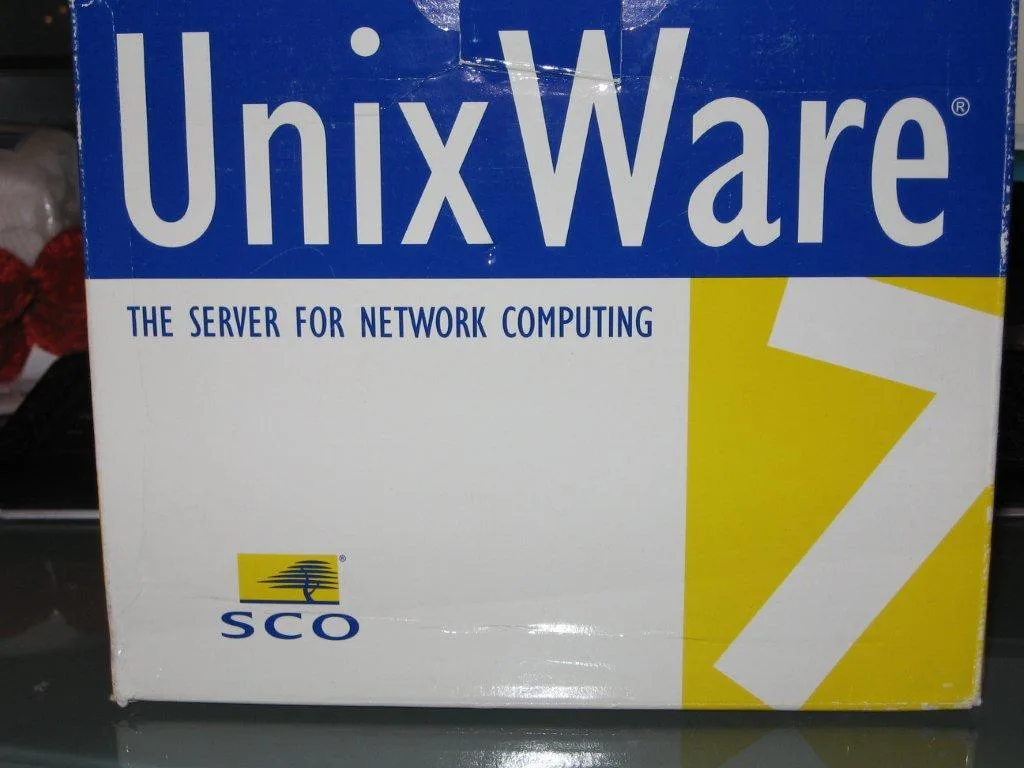
Being a commercial Unix from back in the day, it relies on License Numbers, and activation codes to actually use the software. I have the box, so I have codes so yay me. Post install, I could remove the expired licenses, and then input the ones that were in the box.
These are 5 user licenses, just enough to show off the system, I suppose: The advanced features of the day are nothing special these days, but it’s nice to have the PCC derived compiler, if not to compile GCC but more so for SYSV code from back in the day.
Networking
Networking for VMware is straightforward, I use the NAT interface VMnet8 that is installed by default, selecting a valid Tcp/IP address on the interface range gives me not only full internet access, but also allows me to easily telnet into the VM.
I had been using the user mode SLiRP code for ages, but after all the MIT PC/IP fun, I was thinking I bet modern Qemu supports UDP transport for network traffic, and that it’d just integrate with HecnetNT just fine. And it does!
Configuring the HetnetNT bridge was simple, as always make sure you have Wireshark/pcapng installed and simply run ethlist to get the list of interfaces:
D:\qemu>ethlist.exe
Network devices:
  Number       NAME                                     (Description)
  0  \Device\NPF_{E79F6278-3E7E-4547-955A-2080A0473AD6} (Local Area Connection* 8)
  1  \Device\NPF_{1D960E08-2A3A-43F7-BAD6-21FCB466717B} (Local Area Connection* 7)
  2  \Device\NPF_{98053A85-B049-45A0-AC33-961E2C136FCA} (Local Area Connection* 6)
  3  \Device\NPF_{BFA868ED-E508-4436-B085-EC815C4C544C} (LoopBack)
  4  \Device\NPF_{C75EAF23-0FA3-433B-B271-9CB0F5EB92D0} (VMware Network Adapter VMnet8)
  5  \Device\NPF_{B615DE21-AEC3-4347-916C-332AC4A4DA70} (VMware Network Adapter VMnet1)
  6  \Device\NPF_{82E5A370-6D3D-40AD-A9D5-C4E0E0C50F0D} (Ethernet)
And then create a simple bridge.conf file with the VMnet8 adapter and the UDP pariing to talk to Qemu:
Then launch the bridge program listening on port 5001:
D:\qemu>hecnet.exe 5001
Config filename: bridge.conf
Adding router ''update''. 0100007f:5000
Opening pcap \Device\NPF_{C75EAF23-0FA3-433B-B271-9CB0F5EB92D0}
Adding router ''vmnet8''. 00000000:0
Host table:
0: update 127.0.0.1:5000 (Rx: 0 Tx: 0 (Drop rx: 0)) Active: 1 Throttle: 0(000)
1: vmnet8 0.0.0.0:0 (Rx: 0 Tx: 0 (Drop rx: 0)) Active: 1 Throttle: 0(000)
Hash of known destinations:
Adding new hash entry [52:54:00:12:34:56]. Port is 0
Adding new hash entry [00:50:56:c0:00:08]. Port is 1
Adding new hash entry [00:50:56:f1:dd:d0]. Port is 1
Adding new hash entry [00:0c:29:9a:2b:fb]. Port is 1
It’s a little bit more involved to setup as we have to link the 2 programs via UDP, but I can say it’s totally worth it.
“It just works!” – Sydney
I can now easily FTP files into Qemu, and of course telnet as much as I want to. I don’t see why NFS wouldn’t work either.
Which brings us to the bigger elephant in the room, which one is ‘worth the squeeze’?!
I thought it’d be fun to do a totally unfair CPU intensive thing like building GCC. I would do a quick stage 3 compile blindly running this:
./configure --host=i386-sysv4 --target=i386-sysv4 --prefix=/usr/local/gcc-2.5.8
make
make stage1
make CC="stage1/xgcc -Bstage1/" CFLAGS="-g -O"
make stage2
make CC="stage2/xgcc -Bstage2/" CFLAGS="-g -O"
make stage3
make CC="stage3/xgcc -Bstage3/" CFLAGS="-g -O"
This way we can just look at the timestamps between completed releases. It does build C++ & ObjectiveC as well, and compared to machines from 1999 this is amazing!
-rwxr-xr-x 1 neozeed other 3495688 Mar 29 12:42 ./cc1
-rwxr-xr-x 1 neozeed other 2646888 Mar 29 12:37 ./stage1/cc1
-rwxr-xr-x 1 neozeed other 3495720 Mar 29 12:39 ./stage2/cc1
-rwxr-xr-x 1 neozeed other 3495688 Mar 29 12:40 ./stage3/cc1
Qemu timing
-rwxr-xr-x 1 neozeed other 3884076 Mar 28 20:12 ./cc1

-rwxr-xr-x 1 neozeed other 2647116 Mar 28 20:11 ./stage1/cc1

-rwxr-xr-x 1 neozeed other 3884124 Mar 28 20:11 ./stage2/cc1

-rwxr-xr-x 1 neozeed other 3884076 Mar 28 20:12 ./stage3/cc1
VMware timing
As you can see VMware is substantially faster when it comes to computation. This shouldn’t come to anyone as any surprise. And this isn’t a fair competition, but it does show that you can stage GCC on Qemu just fine, so that’s actually great!
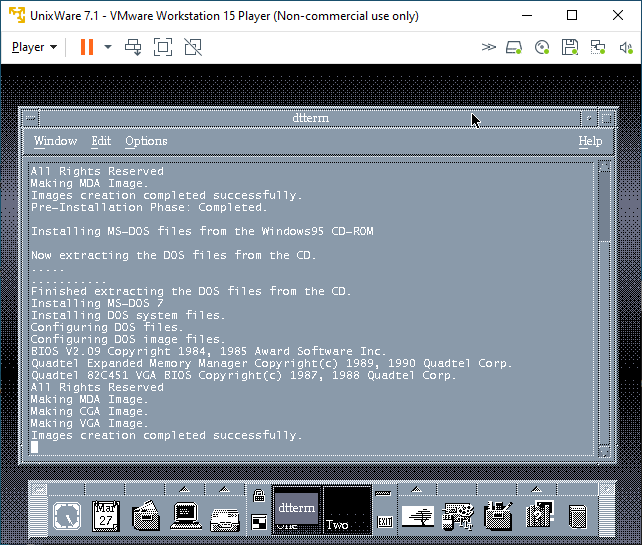
Now let’s mix in some more nonsense, I have a Merge license so let’s try it! First off it really wants Windows 95 from CD-ROM. It will not accept anything else. I have a hacked-up copy of the floppy version of Windows 95 on CD-ROM, and it accepted that just fine, it appears to search through.CAB files looking for files to setup it’s preferred environment. I’m not all that familiar with the whole thing as PC’s are cheap, and virtual machines are even cheaper!
Merge setup on VMware
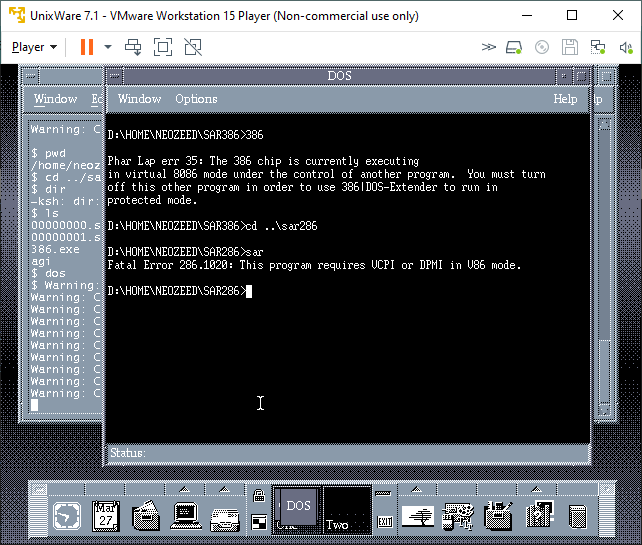
After the setup completed, I thought I’d try my Sarien 286/386 ports.
no DPMI for Merge
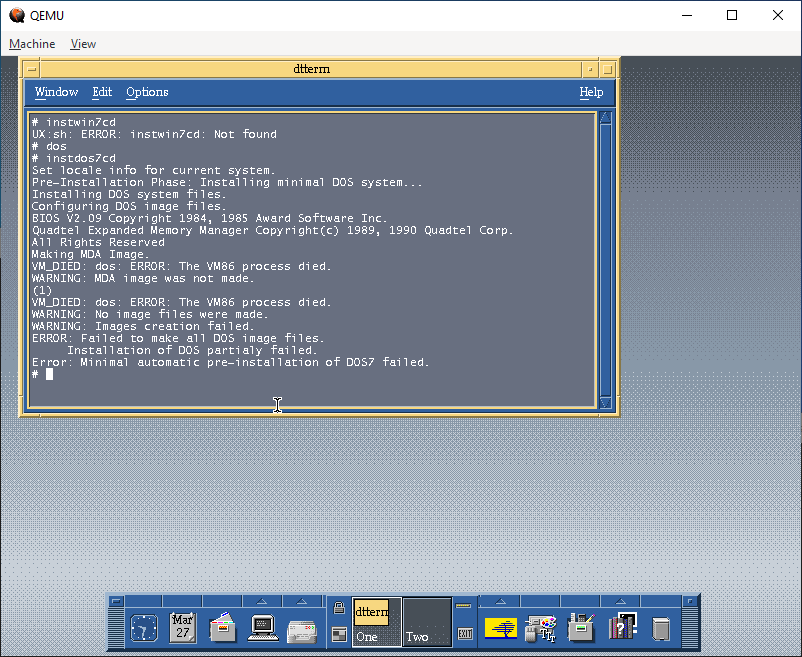
Sadly, neither worked. Maybe it’d have better luck with Windows 95 actually installed. I wanted some high colours so I went over to Qemu and found out that it cannot run Merge.
No Merge!
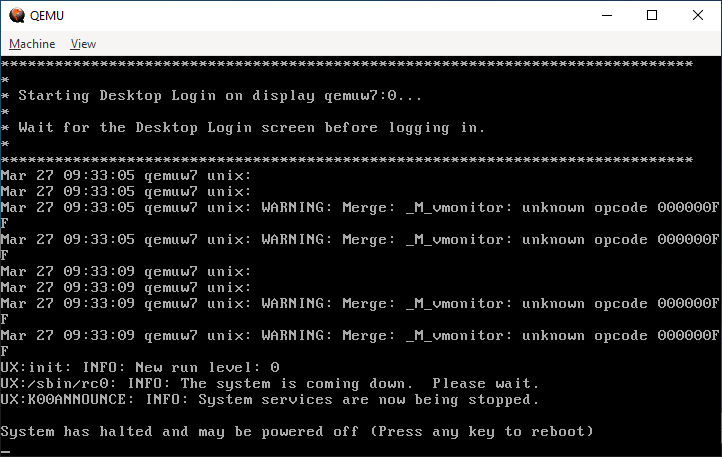
The error lies in a missing opcode 000000FF. Maybe it’s invalid to trigger an exception to call between DOS and the supervisor?
unknown opcode 000000FF
Either way it doesn’t matter, it doesn’t work. I did get feedback that it does run under KVM.
I don’t know why I didn’t think about doing the HecnetNT bridge earlier as it gives things far more flexibility for tapping into networks, or even being transported. I guess I should look at other transport mechanisms besides UDP since it’s 1:1. Also, it might be worth dropping the protocol restrictive filters to allow everything on the wire to flow.
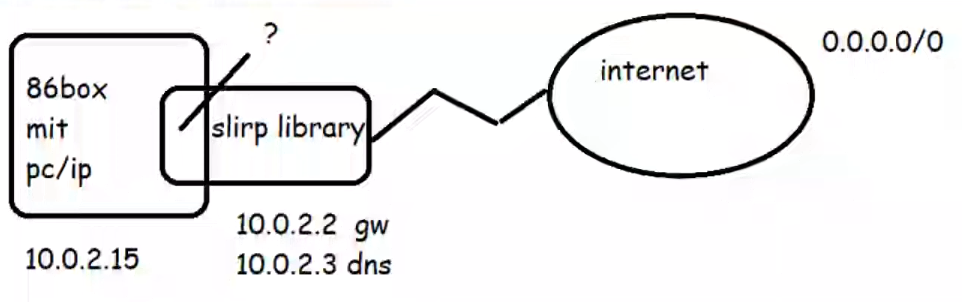
In this video I’ll be covering the circa 1985 MIT PC/IP stack running on 86box trying to connect to a user mode network library, SLiRP. After that fails I’ll show how to break the stack apart so we can use WireShark to inspect the traffic, then how to replace the direct connection to SLiRP by using Dynamips to emulate a cisco 7200 router.
Caution it’s all command line!
I’ll cover adding a loop back adapter, installing WireShark, how to find the GUID’s of the interfaces, how to configure a HecNET bridge, and set it up to relay to a stand-alone version of SLiRP, then how to setup a virtual cisco router to do NAT, and also forward to SLiRP, along with taking network captures to show what is really going on!
In 86box, you have the ability to use the SLiRP library directly from the emulator. Which is all find and good, but sadly it gives you no visibility when things go wrong. And with MIT PC/IP things go wrong. Looking at the data through Wireshark sure would be nice, but how to we get it into there?
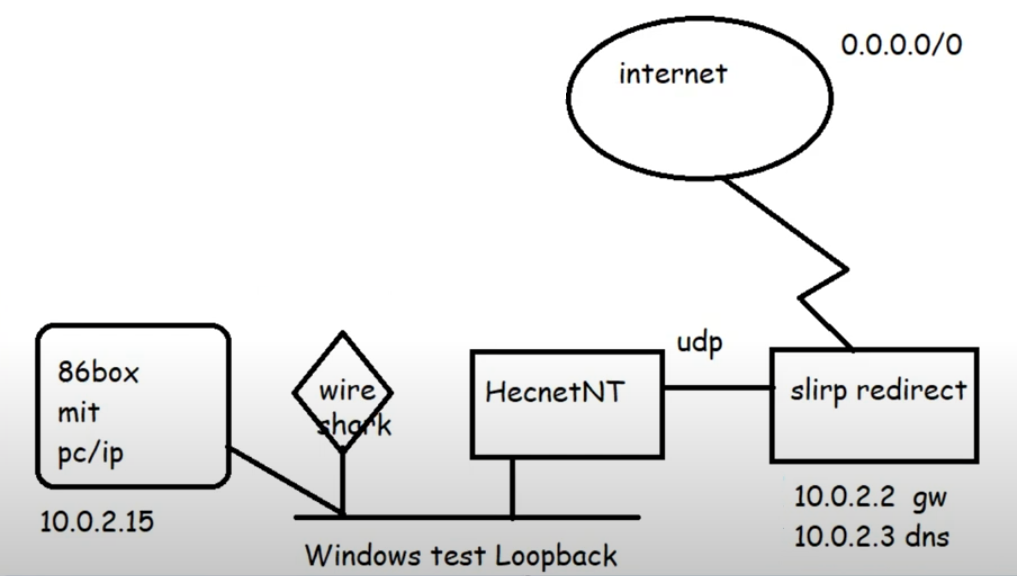
Well the simplest way is to just break it apart.
Broken apart into it’s components
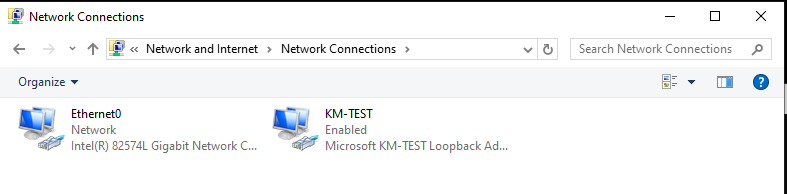
Adding in a KM TEST loopback adapter to Windows now gives us a private network we can now attach programs to via the pcap API. Hecnet is a l2 bridge that can inspect and look for l3 traffic and then forward it via udp to another program. In this case I had made a version of SLiRP that will communicate via UDP, perfect for stuff like this!
One thing to keep in mind is that the ‘GUIDS’ of the network interfaces are unique to each system, the ethlist program will show you which is which. It’s also why renaming interfaces only helps you when dealing with old libpcap stuff!
Rename stuff so it makes sense! Otherwise, everything is Ethernet
Becomes:
C:\hecnet>ethlist.exe
Network devices:
  Number       NAME                                     (Description)
  0  \Device\NPF_{E7EB72FA-7850-4864-B721-2A3B38737214} (KM-TEST)
  1  \Device\NPF_{649448CA-969D-486E-AAC8-99F1993C701A} (Ethernet0)
Press Enter to continue...

C:\hecnet>
With this information in hand, creating the bridge configuration is quite simple:
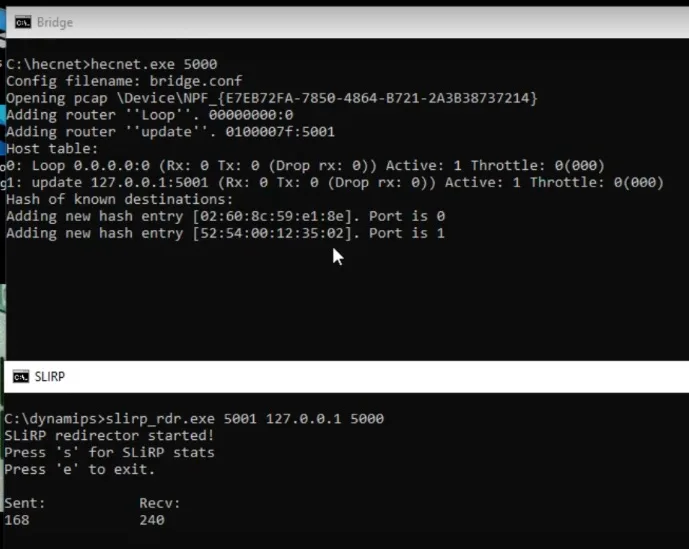
The bridge is for an uncompressed normal bridge connection between the KM TEST loopback interface and a UDP connection listening on port 5001 on localhost. Of note it’ll be forwarding TCP/IP related packets. Since we want the bridge to listen on UDP port 5000 we simply run it like this:
hecnet.exe 5000
Running the SLiRP redirector is just a simple matter of telling it which port to listen on, and where to forward traffic. In this case we’ll listen on port 5001 and forward traffic to 5000 on the localhost
slirp_rdr.exe 5001 127.0.0.1 5000
Thankfully, it’s that simple!
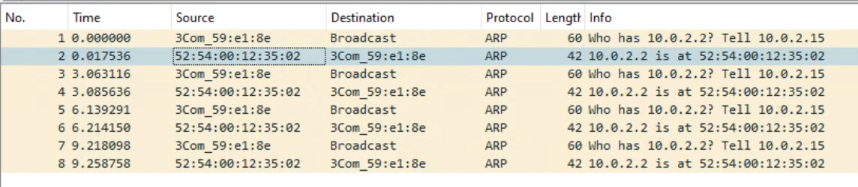
Running a ping fails (yet again) but this time we can see that they are doing ARP but for some reason PC/IP does not acknowledge the SLiRP library.
Just to verify, the HecnetNT bridge does see the source and destination address, and the SLiRP does indicate traffic in and out as expected.
Clearly the fault is on the PC/IP side, and most likely because it’s so old.
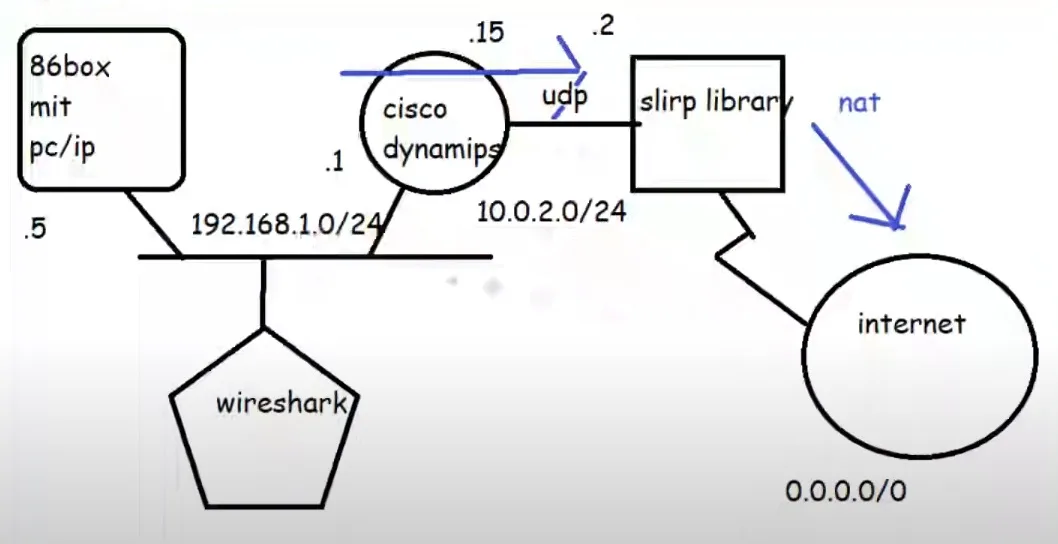
I then decided to build another network, this time using Dynamips to add in a virtual router.
Adding in a router
This complicates things as I’m not sure how to control the internal routing of the SLiRP library so the router has to NAT the PC/IP traffic to SLiRP, which in turn ‘NATs’ it to the internet. But rest assured double NAT (or even more) is quite common these days.
Configuring the router is somewhat straight forward, we are going to use pcap to listen on the KM TEST loopack, replacing the HecnetNT bridge. But it’s going to talk to the SLiRP redirector in the same manner:
set loopback=\Device\NPF_{E7EB72FA-7850-4864-B721-2A3B38737214}
set IOS=..\c7200-is-mz.19991126.bin
set NPE=npe-100
set RAM=64 -X

@attrib *.* -r
..\dynamips.exe -P 7200 %IOS%  ^
-m %RAM% ^
-t %NPE%  ^
-p 0:C7200-IO-FE ^
-p 1:PA-4E  ^
-s1:0:gen_eth:%loopback% ^
-s1:1:udp:5000:127.0.0.1:5001
This creates a basic 7200 router with a 4 port ethernet card, with one port connected to the KM TEST loopback, and the other connected to the SLiRP library.
Configuration of the router is not very complicated either:
!
no ip domain-lookup
!
interface Ethernet1/0
 ip address 192.168.1.1 255.255.255.0
 no ip directed-broadcast
 ip nat inside
!
interface Ethernet1/1
 ip address 10.0.2.15 255.255.255.0
 no ip directed-broadcast
 ip nat outside
!
ip default-gateway 10.0.2.2
ip nat inside source list 1 interface Ethernet1/1 overload
ip classless
ip route 0.0.0.0 0.0.0.0 10.0.2.2
no ip http server
!
access-list 1 permit 192.168.1.0 0.0.0.255
!
This defines our default route for both the routing table, and the management engine to the SLiRP library, defines the NAT inside/outside interfaces along with specifying the ‘overload’ address will be the 10.0.2.15 NAT’ing the PC/IP traffic behind the usual SLiRP user address.
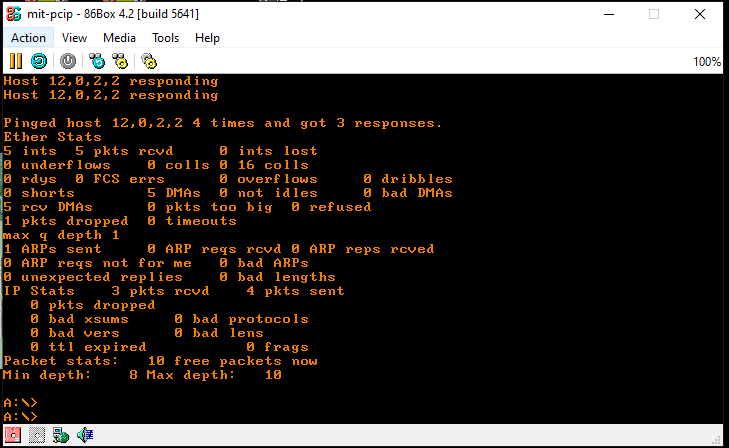
Pinging the SLiRP gateway
This allows us to ping SLiRP, and get the expected response.
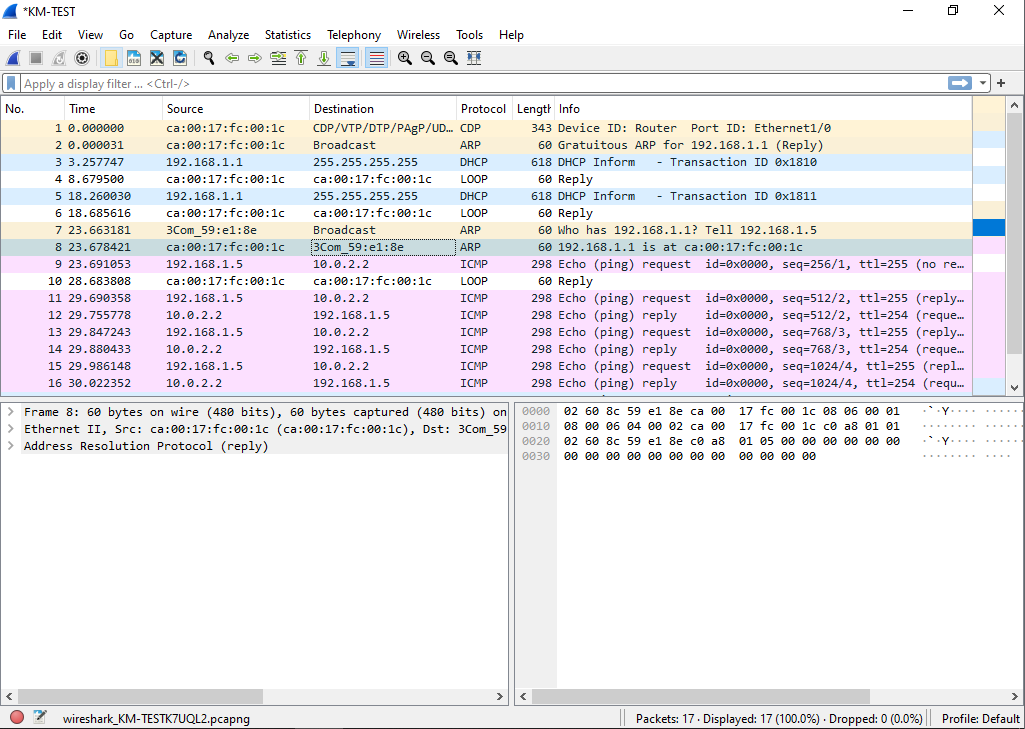
Working ARP/ICMP with cisco router
Checking the capture, we can see that yes ARP is working as expected, and the ping works without any issues.
On the router we can see the NAT translation.
Router#show ip nat translations
Pro Inside global      Inside local       Outside local      Outside global
tcp 10.0.2.15:4376     192.168.1.5:4376   71.95.196.34:23    71.95.196.34:23
Router#
And we can also check the SLiRP redirector for information on the current session.
SLiRP redirector started!
Press 's' for SLiRP stats
Press 'e' to exit.

Sent:           Recv:
stats!          4859

Proto[state]     Sock     Local Address, Port  Remote Address, Port RecvQ SendQ
tcp[ESTABLISHED]  632         10.0.2.15  4376    71.95.196.34    23     0   600
tcp[REDIRECT]     616         10.0.2.15    23        10.0.2.2 42323     0     0
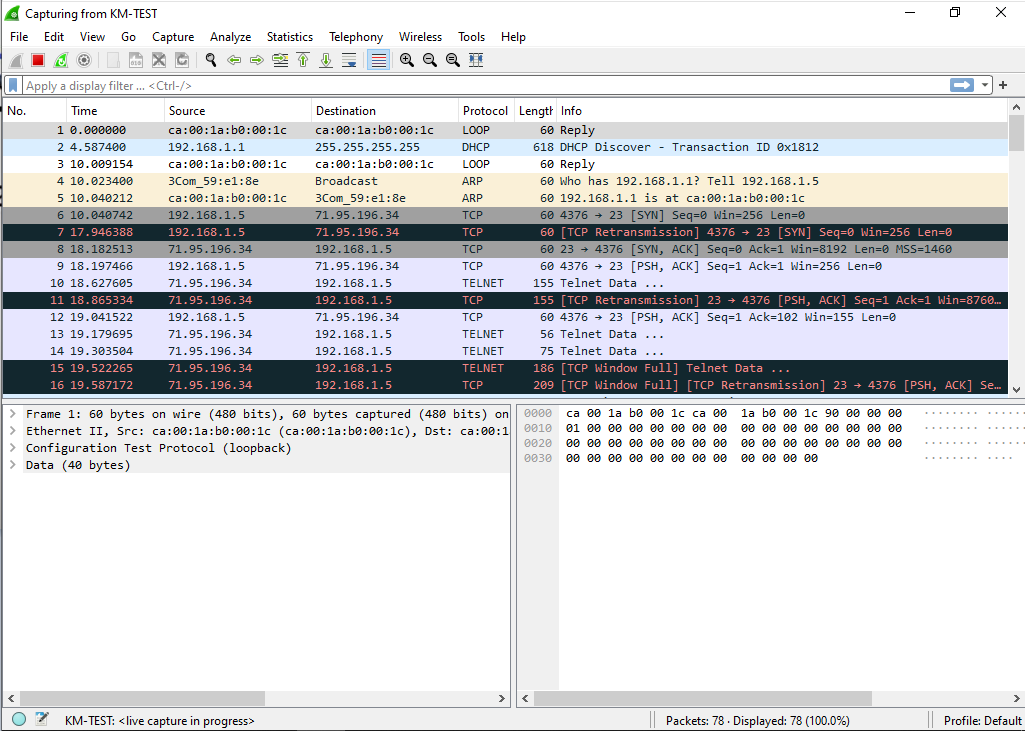
Plus, we also have the Wireshark capture going showing the start of the TCP conversation
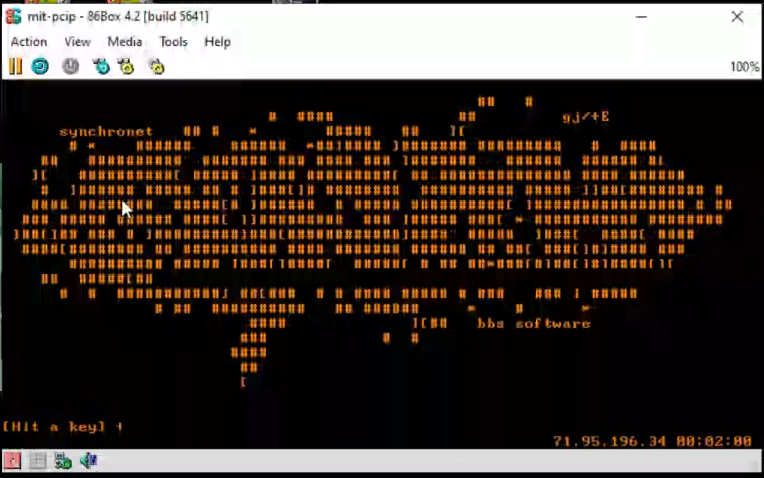
TCP connected!Connected to VERT
So now we’ve connected to the internet and by breaking the process appart we can now inspect what is going on, and made modifications like adding a cisco router.
I figured that this may be something that other people may be interested in, as you can build far more complex virtual networks this way!
Now with better pcap filter in place. I had an issue with 86box and how NetBEUI wasn’t working. It didn’t hit me at the time but cold-brewed caught it, that the 86box didn’t have the multicast addresses in the default pcap filter.. We need the filter to not send EVERY packet to the VM, and to also filter out the VM’s own packets so it doesn’t loop and send traffic to itself (which hopefully would just get discarded, but there is no point doing it in the first place!)
Before I had it set to this:
(ether dst 09:00:07:ff:ff:ff) or (ether dst ff:ff:ff:ff:ff:ff)
It’s allowing one Multicast address for AppleTalk and the general ethernet broadcast address. Which is more or less okay but for everything else, you want to catch a wider net. The better choice is to use built in pcap macros:
((ether broadcast) or (ether multicast)
I can confirm that these do work for 86box, so I’ve copied the same into Cockatrice III. For those who wonder what the difference between Basilisk II & Cockatrice III is, I basically took a super old version of Basilisk II, ripped out as much platform code as I could, re-ported it to basic SDL, removed all the fancy clipboard/meta/drive sharing integration code, added a pcap network option to use the raw network for AppleTalk, and took the SCSI emulation from Previous so I can partition and format virtual ‘SCSI’ disks that I’ve even been able to use in a BlueSCSI!. I’ve sat down with a debugger some years ago and went through the SLiRP code catching as many faults when using Internet Explorer as I could, I think most of the ‘fix’ involved renaming clashing symbols, and while it’s not perfect it was a lot more stable than the default stuff. Although I haven’t touched it in years, and probably should look to borrowing a more modern version from elsewhere.
0.5g in action
Linking this thing with TDM GCC is becoming a bit of a challenge so in case I forget here is how I’m currently statically linking libgcc/libg++ along with winpthread. All it should need now is SDL & working WinSock which every Win32 should have!
“If you want to make a pie from scratch, you must first create the universe”
–Carl Sagan
A little while ago I had touched briefly on the availability of of a PCC port to the 8086 done back in the early 1980’s that was hosted on VAX running 4.1BSD. I’d ruled it basically useless as you are restricted to 64kb .COM files, and I couldn’t get much of anything interesting running on it.
After all the fun of setting up NetManage Chameleon on Windows 3.0, over on IRC lys had mentioned I should try the MIT PC/IP stack. I never knew anything about it’s history but it became the first PC TCP/IP stack. You can read more about it from “Internaut“?
Dave Clark had gone to England for sabbatical and while he was there, had implemented TCP/IP in BCPL for the TRIPOS operating system, a predecessor of the Commodore AMIGA operating system. He brought the TCP/IP code back with him, and the Lab for Computer Science had a bunch of Xerox Alto workstations, and someone at LCS ported Dave’s TCP/IP to the Alto.
Then someone ported it to Version 6 UNIX and rewrote it in C. And that was what we took, and ported to PC DOS. At that point there were no C compilers that ran on the PC, and we were using a compiler that ran on a PDP 11/45 on Version 6 UNIX, and then on a VAX 750 running BSD v4.1. That was the AT&T; portable C compiler, and a group of people on the fourth floor of the LCS had written an 8088 code generator for it. This was before Microsoft C, and before 4.2 BSD.
Our first tasks were to bring up TFTP, TCP, and a telnet client under DOS. Several people were involved. Lou Konopelski did the initial TCP and telnet work, and Dave Brigham did similar work to what I did.
John Romkey – Internaut – How PC-IP Came to Be
What is even more notable about PCIP is that it’s the reason the whole ‘MIT License’ even exists, as word seems to have spread quickly about a TCP/IP stack for the IBM PC compatible market. Jerome Saltzer has documented it all, if you want to read about it (WARNING PDF!)
Romkey would even then go on to found FTP software in that wonderful pre public internet era, before the eternal September.
Of course, the one thing that stands out is that these files look tiny. They aren’t even compressed! PCC, or the Portable C Compiler was released from AT&T, itself written in C, to make porting the C compiler easier to further allow Unix to be further easily ported. Now that I kind of had a mission, I decided to take the 8086 PCC leap, again.
Get the time machine ready!
A man, his best friend and a time machine! – Microsoft Sydney
Thankfully I had that 4.1c BSD image still up on sourceforge, aptly named: 4.1c BSD.7z, so I could follow my old instructions to create the tap file and start working with 8086 C, going back from 1985. And in no time, I had re-built the compiler, and assembler up and running. But I wanted more, as much fun as 4.1BSD is, I wanted to run everything natively on Windows.
At this point I’d remembered that this setup is a bit odd in that the object files that the assembler produces are OMAGIC (type 0407) a.out files. Thinking back to my old project of building Ancient Linux on Windows using vintage tools, it also uses OMAGIC a.out files! It’s not that unexpected as the original GNU ld linker from 1986 has hooks for both old magic & new magic (OMAGIC/NMAGIC) files, as this would be consistent from the era. Thinking this was my out, I might have a way of migrating the build process off of the VAX.
The first pass was to try to pull in all the VAX includes into my native Visual C++ 1.0, and get it to build with Microsoft C/C++ 8.0. The next thing to do of course, is look for where it’s doing anything with binary files and make sure it’s all set to O_BINARY/”rb”/”wb” where appropriate as MS-DOS/Win32/OS2 all handle text files differently from binary data. There is also fights with mktemp along with procedure name creep, like how ’round’ wasn’t a thing in 1980 but it sure is by 1993! Before the era of the 486DX/68040/Pentium not everyone had a math co-processor (FPU) so it’d make sense that a lot of things wouldn’t have this by default.
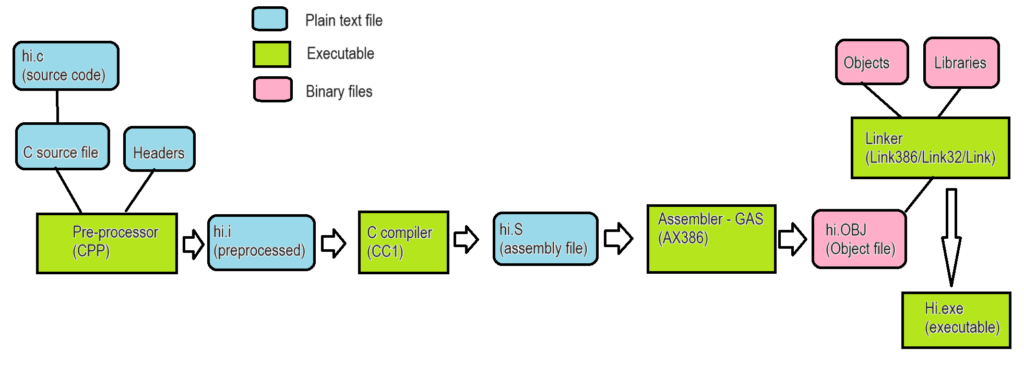
As a quick refresher the following diagram may be specific to the GNU GCC compiler, but the older PCC compiler uses the same methodology of first pre-processing files, then compiling them, assembling the resulting compiler output, then finally linking to an executable program. ( See – “So it turns out GCC could have been available on Windows NT the entire time“)
a rough explanation of how old C compilers work in stages
The steps for PCC 8086 are quite similar but to spell them out:
Pre-process with GNU cpp
Compile with PCC’s c86
Assemble with PCC’s a86
Link with GNU’s ld
Extract the MS-DOS .COM file with cvt86
There isn’t much to talk about the pre-processor, so I’ll skip it, suffice to say from my cl386 research, and porting GCC to OS2/NT, it just worked.
Compiling the compiler
Surprisingly getting the compiler running wasn’t too difficult. I do remember getting this running before, so seeing it run again wasn’t too much of a surprise. The simple C program:
main(){
printf("hi from 8086 pcc\n");
}
Gives us the following generated assembly:
        .data
        .text
        .globl  _main
_main:
        push    bp
        mov     bp,sp
        push    si
        push    di
        sub     sp,#LF1
        mov     ax,#L14
        push    ax
        call    _printf
        pop     cx
L12:
        lea     sp,*-4(bp)
        pop     di
        pop     si
        pop     bp
        ret
        LF1 = 0
        .data
L14:
        .byte   104,105,32,102,114,111,109,32
        .byte   56,48,56,54,32,112,99,99
        .byte   10,0
So far, so good, right! Even for fun, I was able to build it using Microsoft C 6.0! I figured I may as well try to get as much out of that purchase as possible.
Strage binary formats in a strange world
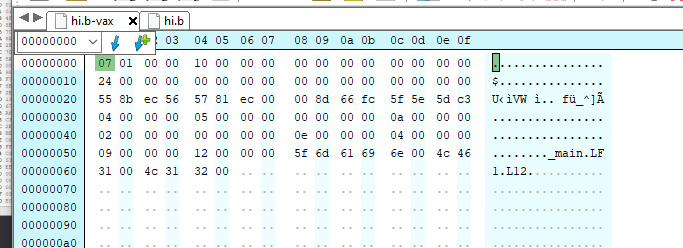
One thing that was a constant problem for me is that the assembler generated garbage, it never gave me the a.out OMAGIC file. Opening it up in a hex editor, Hex Editor Neo, and it showed problem, right away.
A simple do nothing program, assembled on the VAX
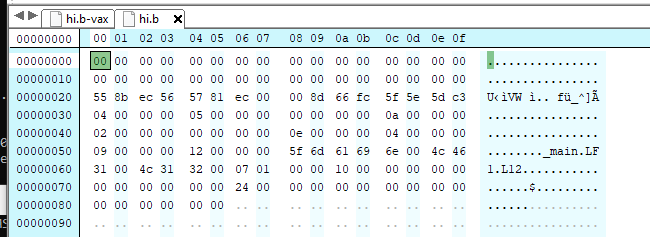
The OMAGIC sequence in hex should be written down as 07 01, but when I looked at the output from my PC port the file was not only too big but it didn’t have the headder:
The same program assembled on the PC
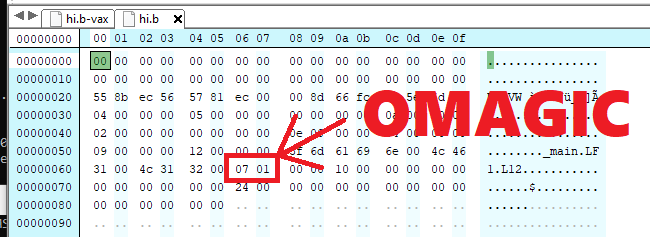
As you can see it’s just a bunch of zeros up front. Later on, I’d realize this was a ‘pad’ so it could be filled in later by the assembler when doing relocations. The file in question was rel.c which also should have been the hint. I don’t know if anyone saw it, but let me highlight it for you:
The OMAGIC header is being appended!
As you can see, where the file ends on the VAX, on the PC the OMAGIC header is being appended. I did a simple cut & paste in the editor, and the object file validated just fine. So why was this happening? In my rush to just add ‘binary’ flags to any file operations I had seen this in rel.c:
(dout = fopen(Rel_name, "a")) == NULL)
I had taken this be an ‘append’ for whatever reason it would need to do that kind of thing. Well maybe that’s what it means in 1993, but in 1981 it doesn’t append, instead it just opens it normally. Is this a bug in the assembler, or a feature of 4.1BSD? Without debugging it, I just modified it to not append, as this was the only occurrence of an explicit append in the source code I could see.
(dout = fopen(Rel_name, "wb")) == NULL)
And that did the trick, I now had a working assembler running on my PC!
But we are not out of the woods yet!
Naturally trying to build a much ‘larger’ Fibonacci program crashed the assembler. Luckily debugging it was a snap to find out that it was trying to free a static pointer. Or so I think. Today, in the future RAM is cheap, so I just commented out the offending free and now it was off to the linker.
When is advanced optimization a bad idea?
When the machine you wrote this for no longer exists. In the middle of the ld86 linker is this line:
asm("movc3 r8,(r11),(r7)");
I have no idea why it’s there.
I don’t know what it should be doing.
This makes the linker un-portable.
However, as I’d mentioned before I did have the GNU linker that I’d successfully used to build Linux kernels, so there was hope!
C:\msvc32s\proj\8086pcc>\aoutgcc\bin\ld.exe -X -r -o hi.out crt0.b hi.b ./libc.a
C:\msvc32s\proj\8086pcc>cvt86 hi.out hi.com
C:\msvc32s\proj\8086pcc>msdos hi.com
hello from pcc for 8086!
I had now successfully run my first program without using the VAX. Although I had not mentioned a step yet, cvt86, this utility is described as creating a MS-DOS .COM file from an a.out file. I didn’t look into how it accomplishes this, but basically, it’s another linker. And this issue would come to complicate things as I had thought that everything was working.
libc & the heart of C
Libc, is simply put the central C library for getting everything done. While crt0 will setup the C environment everything else core from opening files, writing to the screen, and reading keyboard input is done through libc. So I thought re-building libc would be easy enough. To build the library you ‘archive’ them with the ‘ar’ archiver, then index them with ‘ranlib’. And again, from my a.out adventures building Linux I had both tools, however no matter what I was doing they did not work with cvt86. I wen’t back and rebuilt some kernels to verify, and yes it does generate archives but cvt86 was not happy.
I still had the SIMH VAX running in case I needed it, so I just broke down and figured I’d just port the VAX ar/ranlib to the PC. I don’t know off hand what the problem was, and I didn’t feel like spending an eternity to try to correct it, and both of the programs are somewhat portable. But of course it wasn’t that simple as ar opens files in strange ways that work on 4.1BSD but yeild chaos on the PC.
‘ar’ has it’s own magic, a simple !<arch> and a ` followed by a new line. On any UNIX the \n is 10 in decimal 0xa in hex. But on the PC it’s carriage return and linefeed! And yes despite setting all the opens to binary, it was constantly injecting carriage returns & linefeeds all over the place! Some-how the file was being opened in text mode. Thankfully debugging even in old Visual C is great and inspecting the temporary files lead me to find this part:
f = creat(file, larbuf.lar_mode & 0777);
In a few places it uses the creat (or create call. In an interview Dennis Ritchie had mentioned that this was one of his regrets in life, not naming creat create) call, which of course never has to set a mode, as everything is binary in Unix, unlike the PC. Great.
Luckily the fix was very simple after every creat, simply set the file mode to binary.
setmode(f,O_BINARY);
Great!
Apple pie!
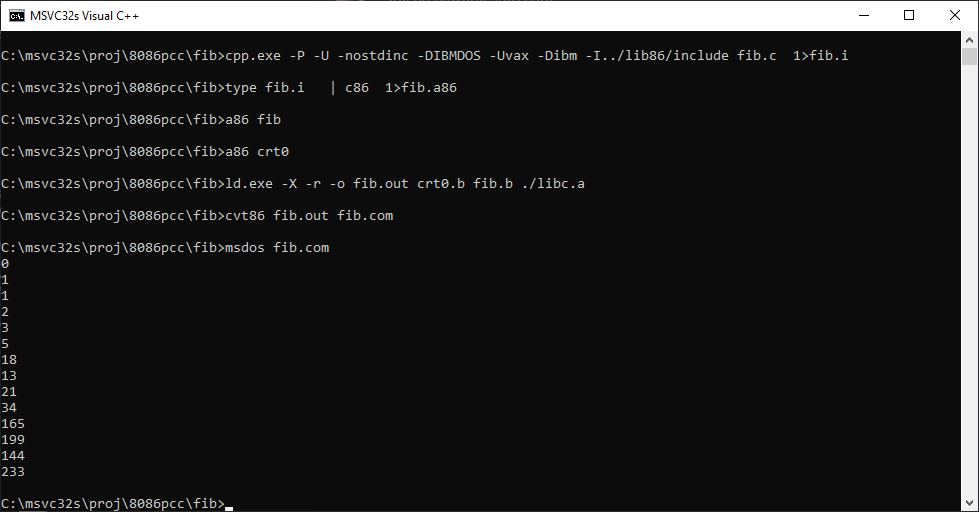
Fibonacci sequence
Now I could re-build libc from source and link it to the Fibonacci program!
Yes it’d take this long to get to the point where I can now easily edit file on a modern machine and have a Win32 native toolchain! VAX no longer required! We’ve successfully extracted everything we needed from the 1980’s!
First contact!
Now it’s time to look at what brought us on this adventure, MIT PC/IP.
The MIT PC/IP (PCIP) does require changes to the libc to work correctly. Unfortunately, they didn’t provide the full copy of the libc, but rather some ed scripts. So, the first question is do I even have the version these are based off of to start? I don’t know, so I had guessed, and I had guessed incorrectly.
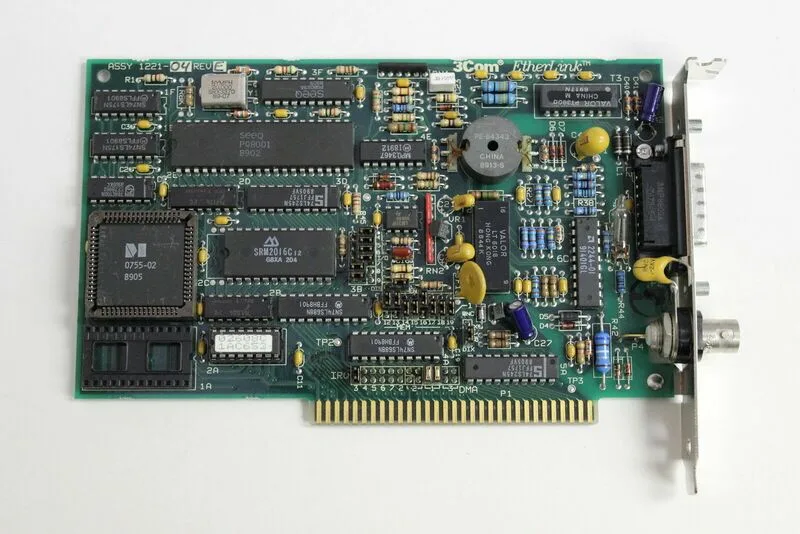
3com 3c501
Configuring PCIP is somewhat involved, first you need MS-DOS 2.00 or greater which thankfully in the future is FREE! The next thing you need is a 3com 3c501 card. This is going to be a challenge but it’s just as any good time to mention 86box, and the latest version that I’ve been using that of course supports this kind of setup!
New version 4.1.1
I can’t recommend it enough, 86box is like all the inconveniences of old software & hardware without having to spend a fortune for weird combinations, fighting to have space for it. I naturally setup a 386sx with CGA, 20Mb hard disk and a 3c501 card. It’s nice being able to also be very task specific, this doesn’t have to be a DooM/Quake machine!
the first thing you need to do is add the netdev.sys device driver that is created as part of building PCIP from source. a simple:
DEVICE=\NETDEV.SYS
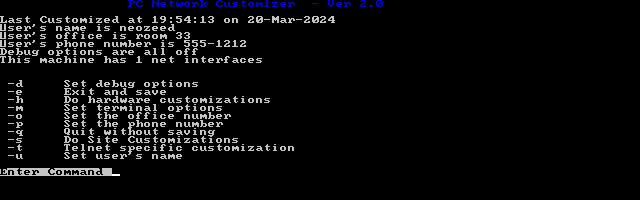
in your config.sys is more than enough. However, how do you configure it? Well it’s the ‘custom’ program that binary edit’s the device driver.
YES, IT EDITS THE DEVICE DRIVER.
Setting stuff up is somewhat straight forward, however it displays TCP/IP information in decimal not in hex. I haven’t even looked into the how or why.
The first page
The first page options are kind of banal, it’s back in the day when people would use finger to find people on the internet and call them up or send emails. How cute. 1985 was a different world!
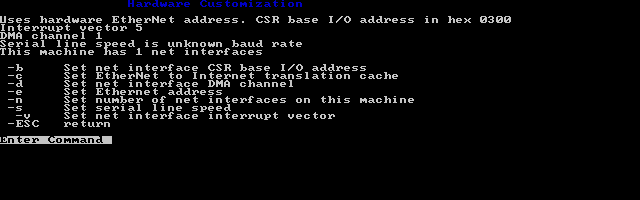
hardware options
In the hardware options the only thing to check is the I/O base, IRQ & DMA for the Ethernet card. I just configured the card around 0x300/5/1 as it’s great being purpose built!
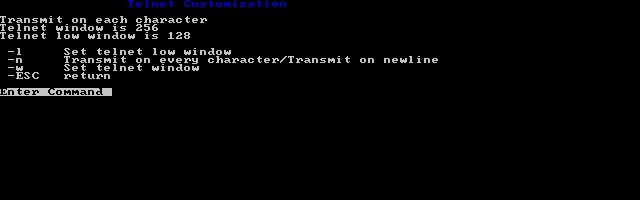
telnet options
There is a separate window for telnet options. Naturally high speed connections frame far too fast for something built from 1985. I found lowering the TCP windows really helped with pacing.
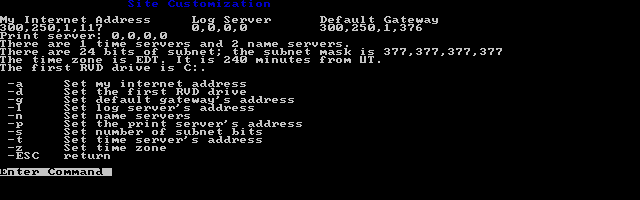
Site config
As I had mentioned the site configuration displays all the information in decimal. Also, I’m wasn’t sure what is going on with the netmask, but looking at the old Windows calculator revealed it was being stored in OCTAL. It’s probably why the addresses have commas instead of periods. Although I had configured DNS it didn’t work, as it uses UDP port 42. It’s clearly doing something very early 1980’s.
The status CR/LF is broken!
So close and yet so far away. The only thing to do was try to figure out which of the libc stuff was ‘newest’ in the pure state and try to figure out where to go from there.
Redo!
While I had not configured the libc correctly, I had partial success! I could actually establish a telnet session! Libc wasn’t working correctly as every line feed didn’t generate a carriage return, as you’d need for MS-DOS leaving it with broken status.
But at the same time, despite all the weird ‘challenges’ for the most part ‘it just worked’. Which is pretty cool!
It turns out the answer was the 8086_C_19850820 file. As far as I can tell there was only one thing that didn’t patch correctly but I was able to build a libc in no time.. that didn’t work. In the patch it removes ulrem/auldiv from arith.a86 Not sure why, I haven’t messed with it. But that means I had to restructure to build with the non floating point n86c compiler as that’s the way PCIP is expected to be built. After rebuilding with this compiler and this seemingly properly patched library I finally had it working!
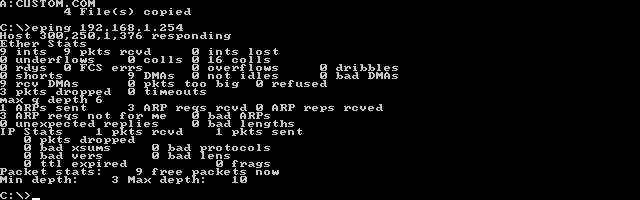
Ping my local gateway!
Instead of a garbled mess, I had something I could read!
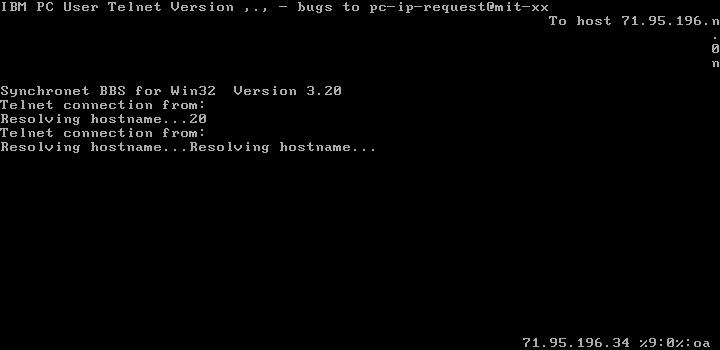
telnetting to my test BBS
Now instead of a garbled mess, I can see it was trying to display the connected IP, and a clock.
Sadly it doesn’t work with SLiRP. I’m sure it’s either classful routing or it really doesn’t like how SLiRP handles ARP. I suspect it’s also trying to do old style classful routing as well, which means you can’t just load arbitrary subnet masks wherever you want, to try to squeeze the 4 billion IP’s out of the internet.
The updated telnet client connecting to a test BBS
Final thoughts
I suspect that although there were binaries in the above tar files, going through the effort to rebuild PCIP really wasn’t all that expected for most people to carry out. Sadly, there was no shared source ‘sites’ online, and we’re lucky enough someone kept a few tarballs lying around. I really can’t blame them for sticking with then current development tools, especially for what you’d need to build a C compiler back in the early 80’s. It’s a shame the QL or the Macintosh didn’t have the RAM or the DASD capacity to become that home cross compiler of the 80’s.
Most project just require you to work on that actual project, while this has been a substantially larger undertaking from anything normal, but I guess I’ve learned a bit along the way with all those “pointless” GCC port things I’d done, well it turns out they are incredibly useful! It’s been a fun archeological expedition for me, thankfully C is still a thing, I wonder what happened to all the ADA/Perl/Pascal/”Wave of the future” stuff that is always disappearing. At least more and more people work on full system emulation so there is always that!
For anyone that curious you can find all the code over on github:
To provide the best experiences, we use technologies like cookies to store and/or access device information. Consenting to these technologies will allow us to process data such as browsing behavior or unique IDs on this site. Not consenting or withdrawing consent, may adversely affect certain features and functions.
Functional
Always active
The technical storage or access is strictly necessary for the legitimate purpose of enabling the use of a specific service explicitly requested by the subscriber or user, or for the sole purpose of carrying out the transmission of a communication over an electronic communications network.
Preferences
The technical storage or access is necessary for the legitimate purpose of storing preferences that are not requested by the subscriber or user.
Statistics
The technical storage or access that is used exclusively for statistical purposes.The technical storage or access that is used exclusively for anonymous statistical purposes. Without a subpoena, voluntary compliance on the part of your Internet Service Provider, or additional records from a third party, information stored or retrieved for this purpose alone cannot usually be used to identify you.
Marketing
The technical storage or access is required to create user profiles to send advertising, or to track the user on a website or across several websites for similar marketing purposes.



![[ ]](/wp-content/uploads/2024/03/tar.gif)